Remote Host
In organizations with complex network setups, such as those using proxy servers and load balancers to manage large numbers of users and resources, accurately tracking user access can become challenging. This is because audits and reports often capture the IP address of the load balancer or proxy server rather than the actual IP address of the user's machine. As a result, when multiple requests are routed through the same load balancer or proxy server, they appear to come from the same IP address, obscuring the true origin of the access and leading to a loss of critical user access information.
The Remote Host feature in PAM360 addresses this challenge by identifying the actual IP addresses of user machines accessing target resources through a load balancer or proxy server. By leveraging the Remote Host Header, PAM360 ensures that audits and reports reflect the true user access details, providing greater visibility and accountability within the organization.
Caution
Before configuring the Remote Host feature, you need to obtain the request header information (e.g., X-Real-IP, X-Forwarded-For, etc.) from the conf file of your load balancer or proxy server.
Additional Details
- If your organization uses multiple load balancers or proxy servers, ensure that all the load balancers/proxy servers are configured with the same request header information.
- It is recommended to configure load balancers and proxy servers to forward only the client's actual IP address. For example, in NGINX, replacing the header variable $proxy_add_x_forwarded_for with $remote_addr will forward the actual IP address of the client.
Follow these steps to configure the remote host header in your environment successfully:
- Navigate to Admin >> Server Settings >> Remote Host.
- Enter the header information retrieved from the load balancer or proxy server's 'conf' file in the Remote Host Header field.
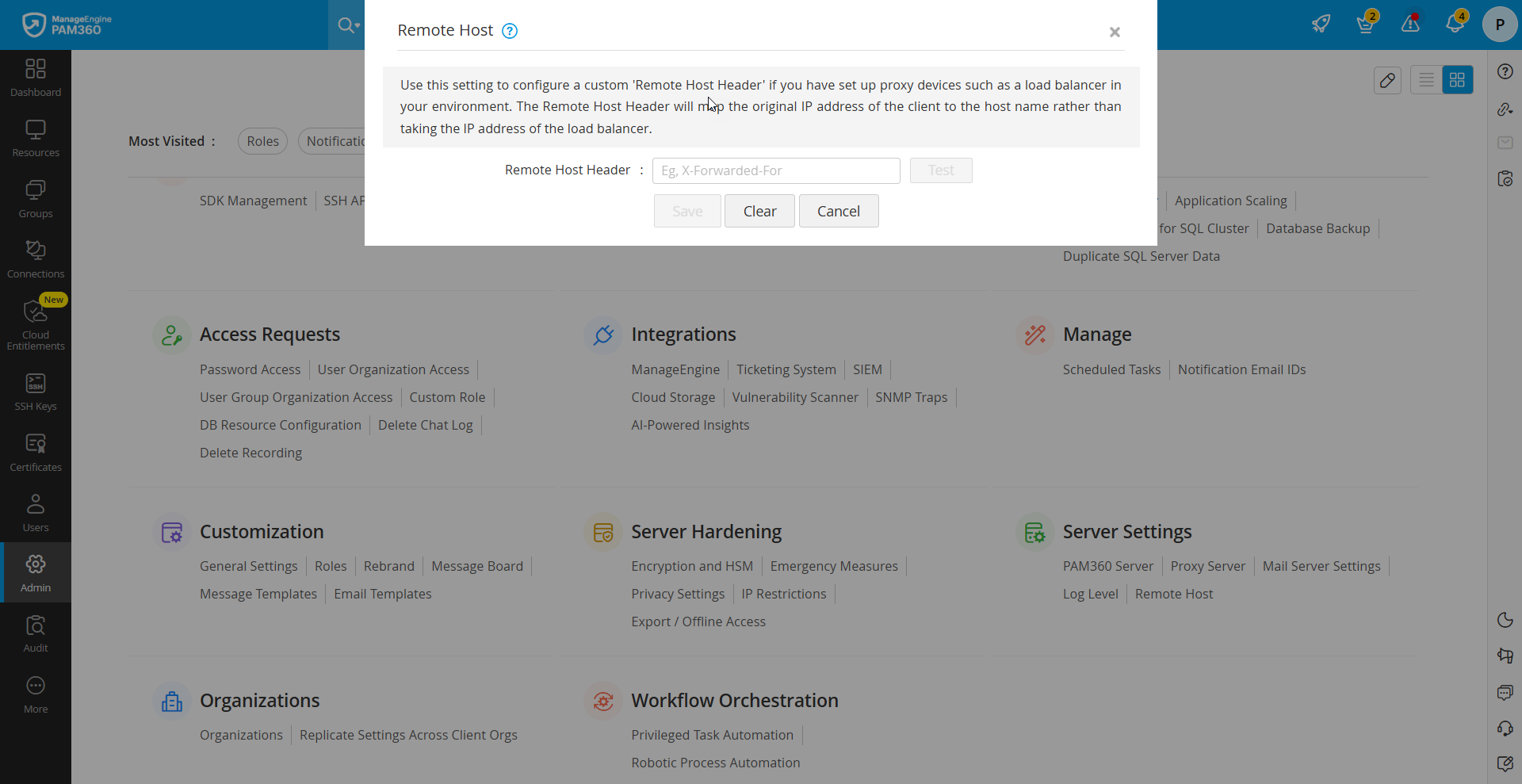
- Click Test to validate the provided header information with your load balancer or proxy server.
- Upon successful test validation, click Save to complete the remote host configuration.
- Click clear to clear the remote host configuration.
By offering the ability to configure a remote host in environments with complex topologies that include load balancers and proxy servers, PAM360 enhances its audit and reporting capabilities, ensuring accurate tracking of user access.