
The Supported Patches Report presents comprehensive information on all patches released by Microsoft Corporation. IT administrators can perceive insights on the latest security updates from Microsoft corporation and plan for their network using the supported patches report featured by Endpoint Central. By default, the report displays details of patches released within the current month. However, you also have the flexibility to choose a different time frame or specify a custom period to generate the report.
To view supported patches reports, follow the steps given below:
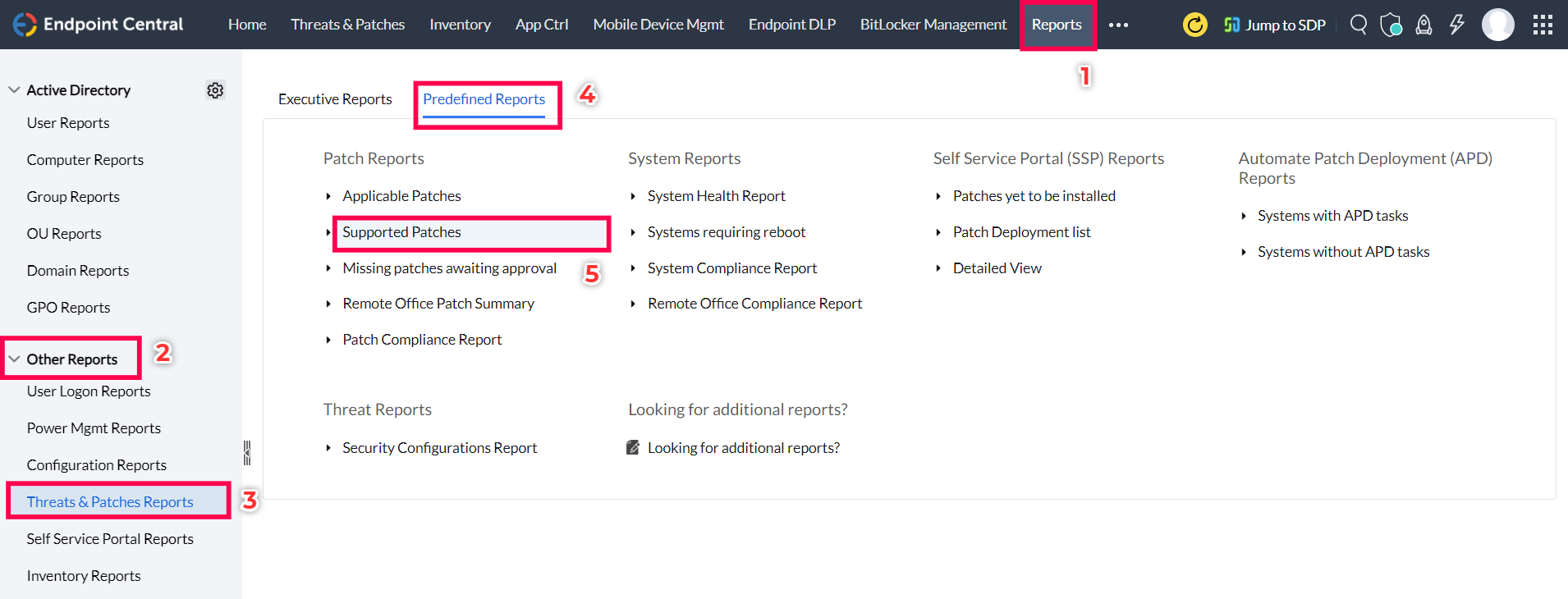
The Supported Patches Reports will be displayed in a table format with the elements given below:
Note: By clicking on the table icon at the top right corner, you will be able to categorize the table as per your required features.