Firewall Rule Change history - Rule Comparison Reports
Firewall Analyzer's Rule Change History feature empower network security administrators by providing a transparent and comprehensive view of all alterations made to their firewall rules. Using this feature, network security admins gain valuable insights into security policy management.
To access this feature, go to Rule Management -> Comparison -> Rule Changes.
The Rule Changes window displays the overall status of the rule changes made on all your configured firewall devices.
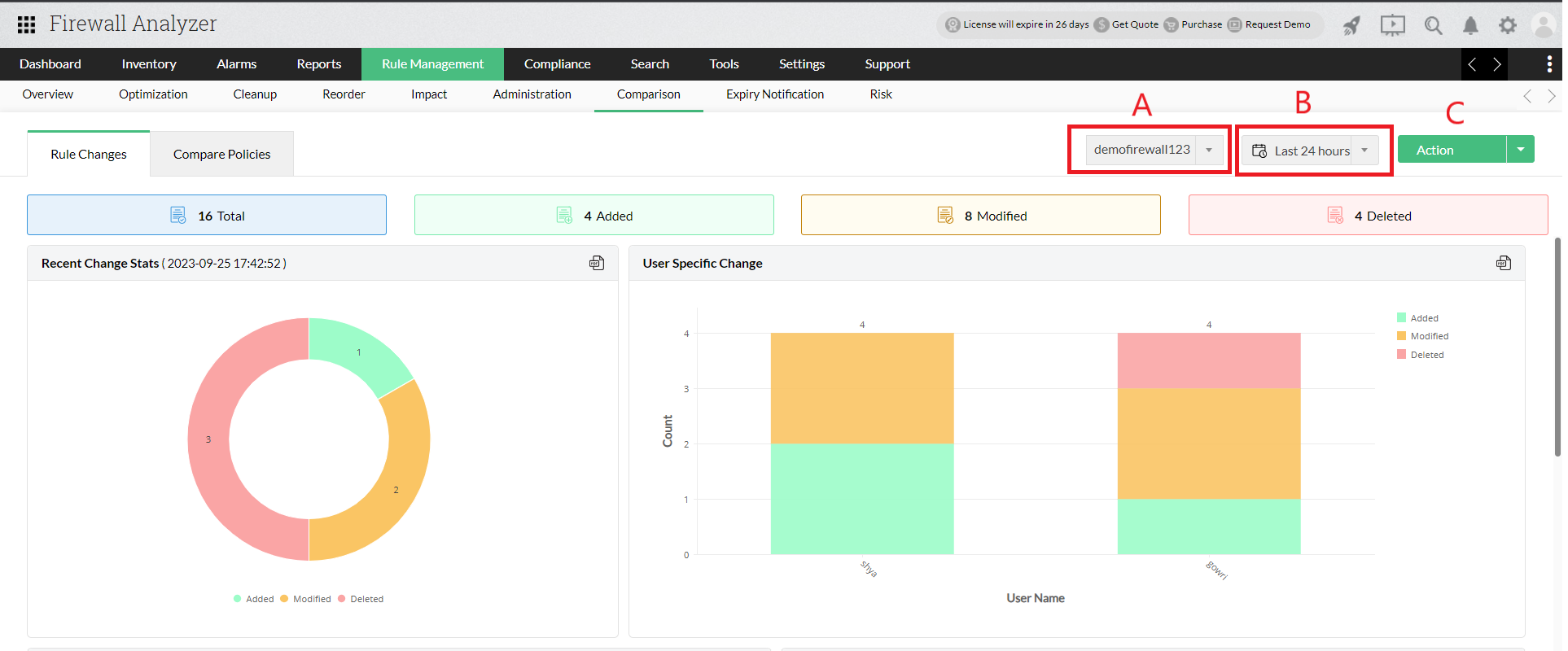
You can choose the following metrics for which you want this data to be generated.
- Choose the firewall device
- Select the time frame
- Download this data in the report format of your choosing
The other prominent sections and their descriptions are as following.
| Name | Description |
|---|---|
| Total | Denotes the total changes made to your firewall rules (Added+Modified+Deleted). |
| Added | Denotes to all the rule additions made. |
| Modified | Denotes to all the rule modifications made. |
| Deleted | Denotes to all the rule deletions made. |
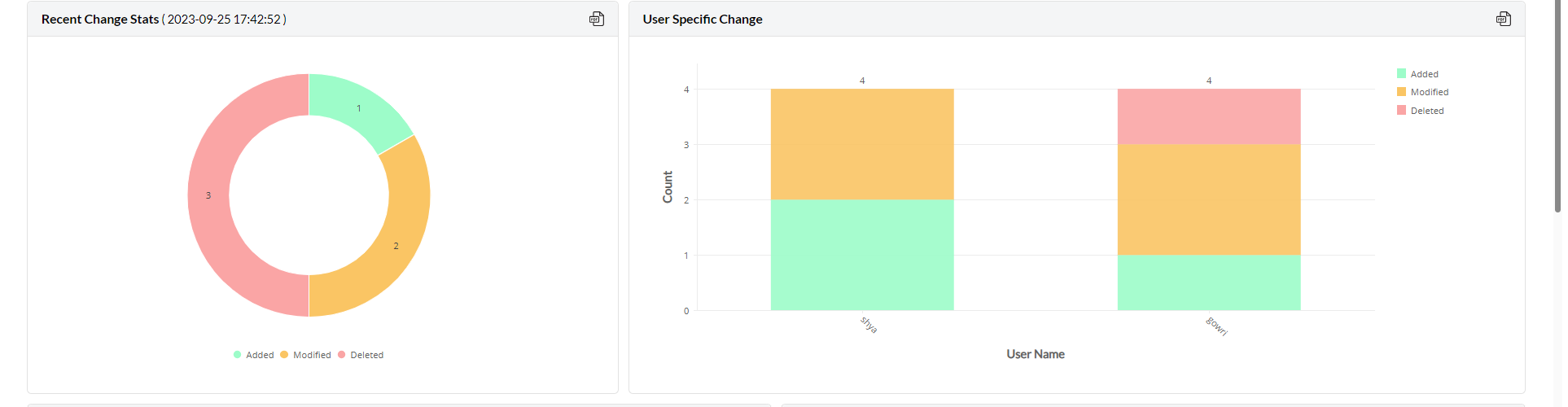
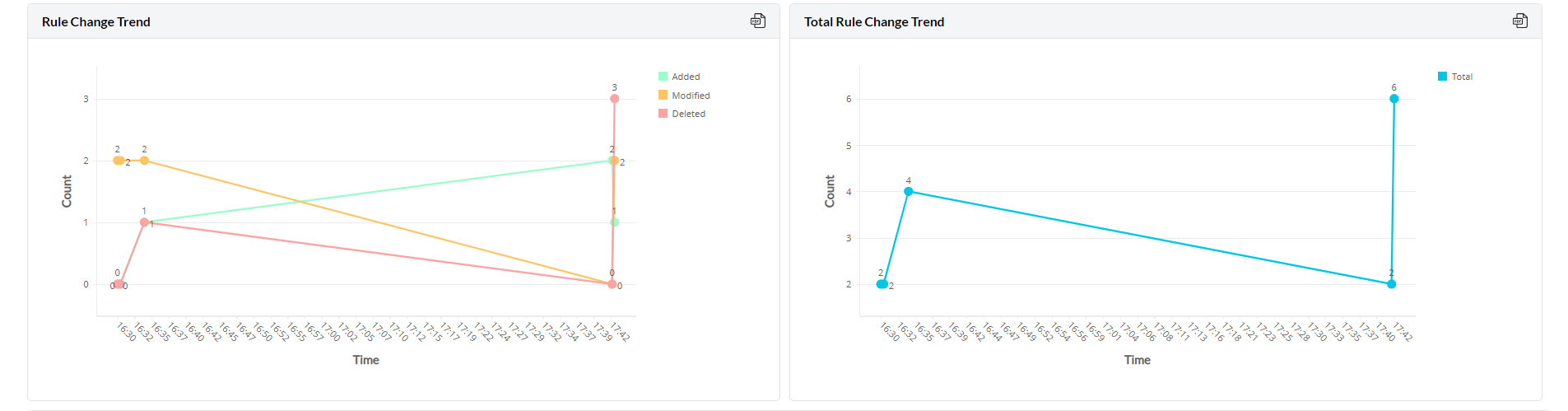
In addition, you can also view the following information displayed in a graphical format:
- Recent Changes Stats: View the latest rule change made on your firewall.
- User Specific Changes: View users and the number of changes made by them.
- Rule Change Trend: Trend graph of added, modified and deleted rule changes.
- Total Rule Change Trend: Trend graph of the total rule changes made.

Rule Change Report:
Contains in-depth information on the rule changes made to your firewall device.
| Title | Description |
|---|---|
| Policy changes on | Date and time of rule change |
| Changed by | User who made the change |
| Changes from | IP address of the user who made that change |
| Version Number | Configuration change version |
| Added Count | Number of new rule additions |
| Modified Count | Number of new rule modifications |
| Deleted Count | Number of new rule deletions |
Click on any Policy Changes on entry to compare it with previous rule changes versions.
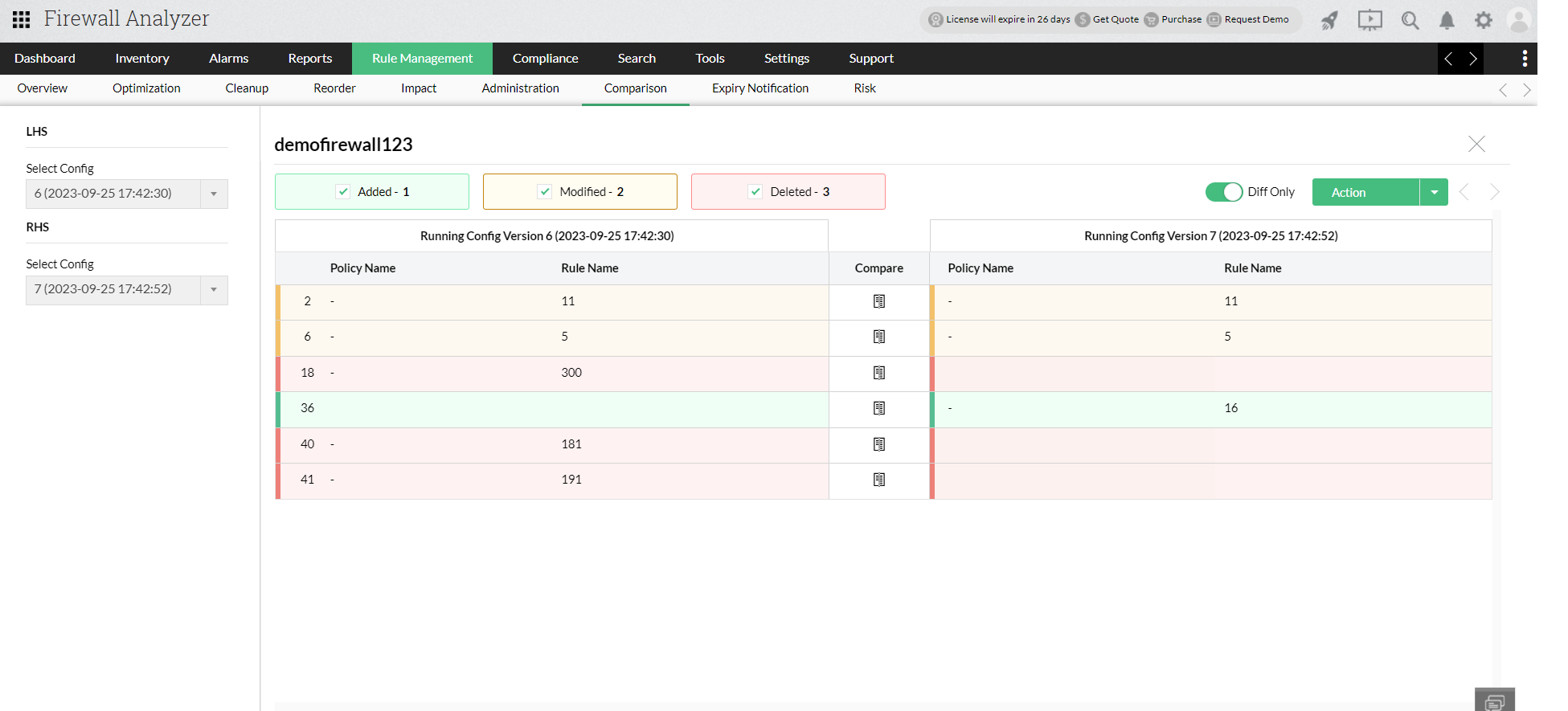
Select the Rule change configuration version to be compared from the LHS and RHS section.
The color codes (Green, yellow, and red) denote rule additions, modifications, and deletions respectively.
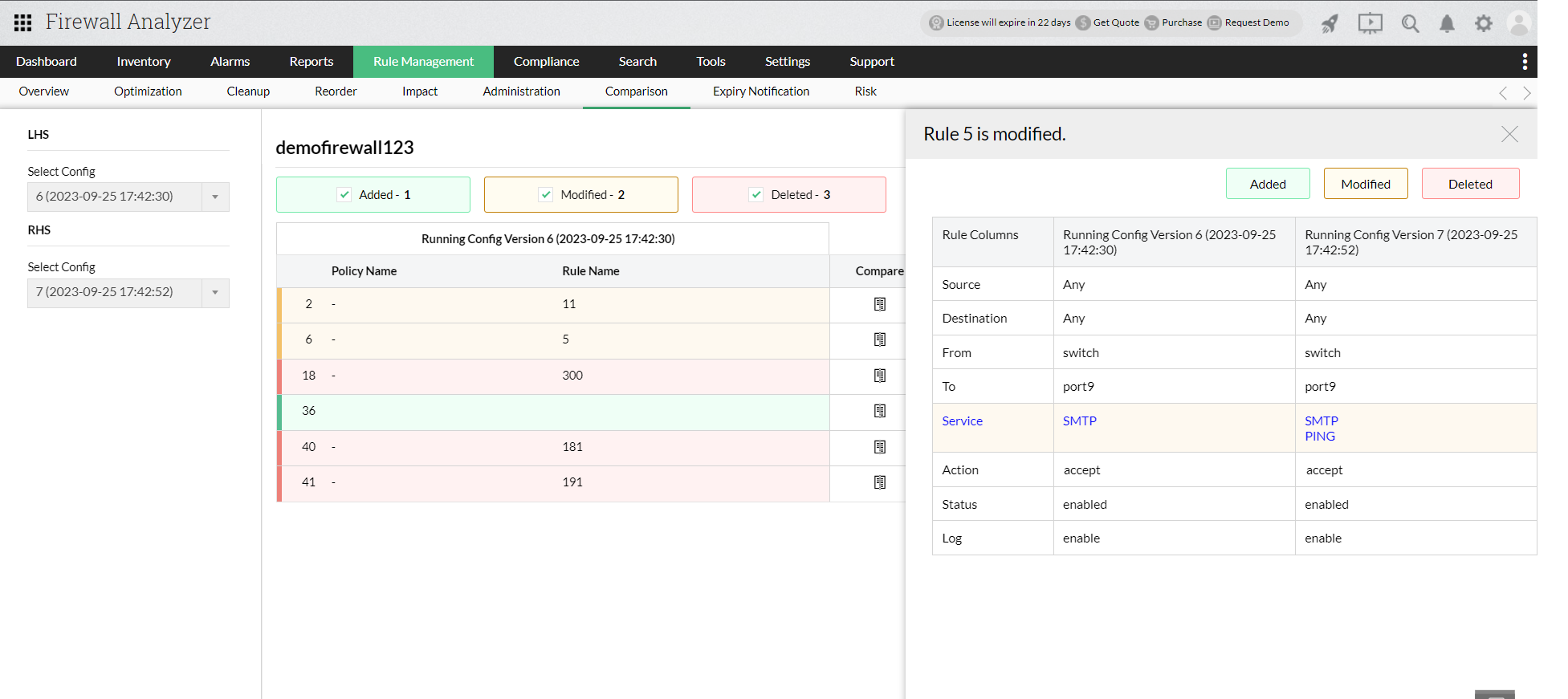
Click on the compare icon to drill down and view each of the rule changes in detail.
Thank you for your feedback!