How to add a link between two devices?

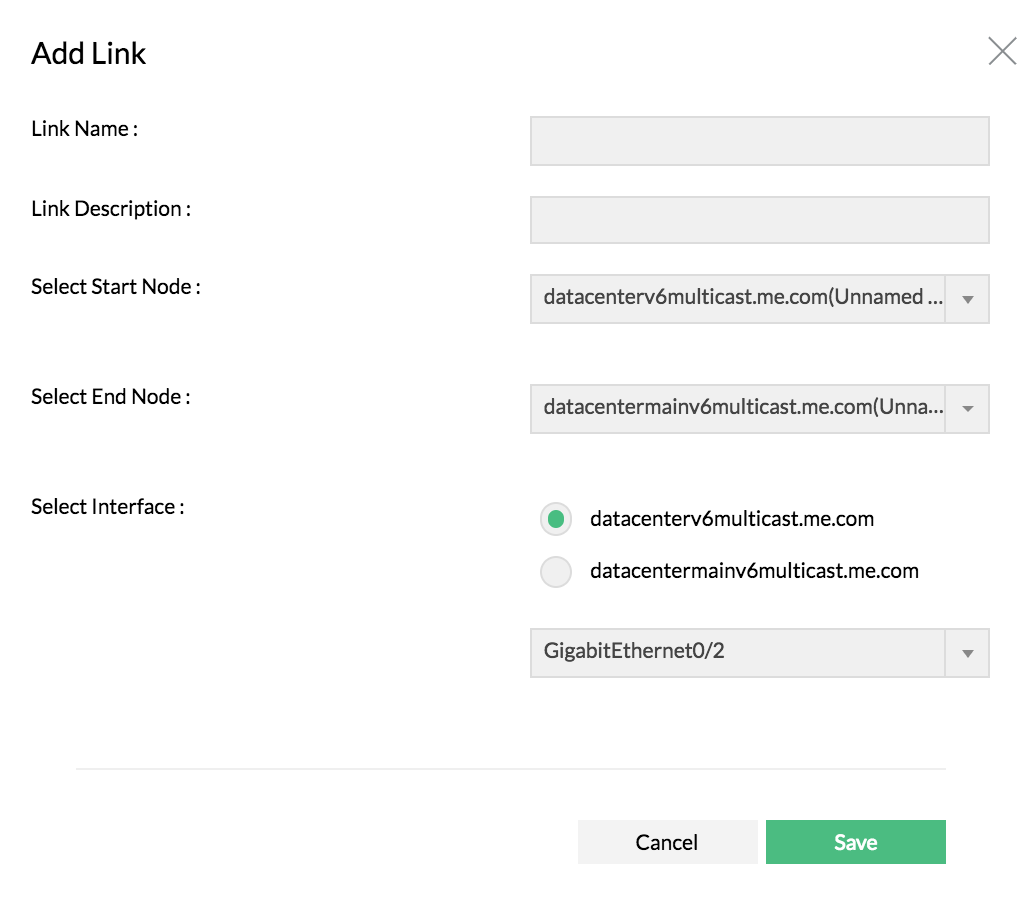
    Add Link

    1. Navigate to Settings > NetFlow > Network Mapping
    2. Click "Add Link"
    3. Provide link name, Description
    4. Select start node and end node from the list
    5. Select the interface for start and end device
    6. Save

    Prerequisite: Make sure you have added atleast 2 devices on the Google Maps from "Maps" tab

    How to delete a link for an added device?

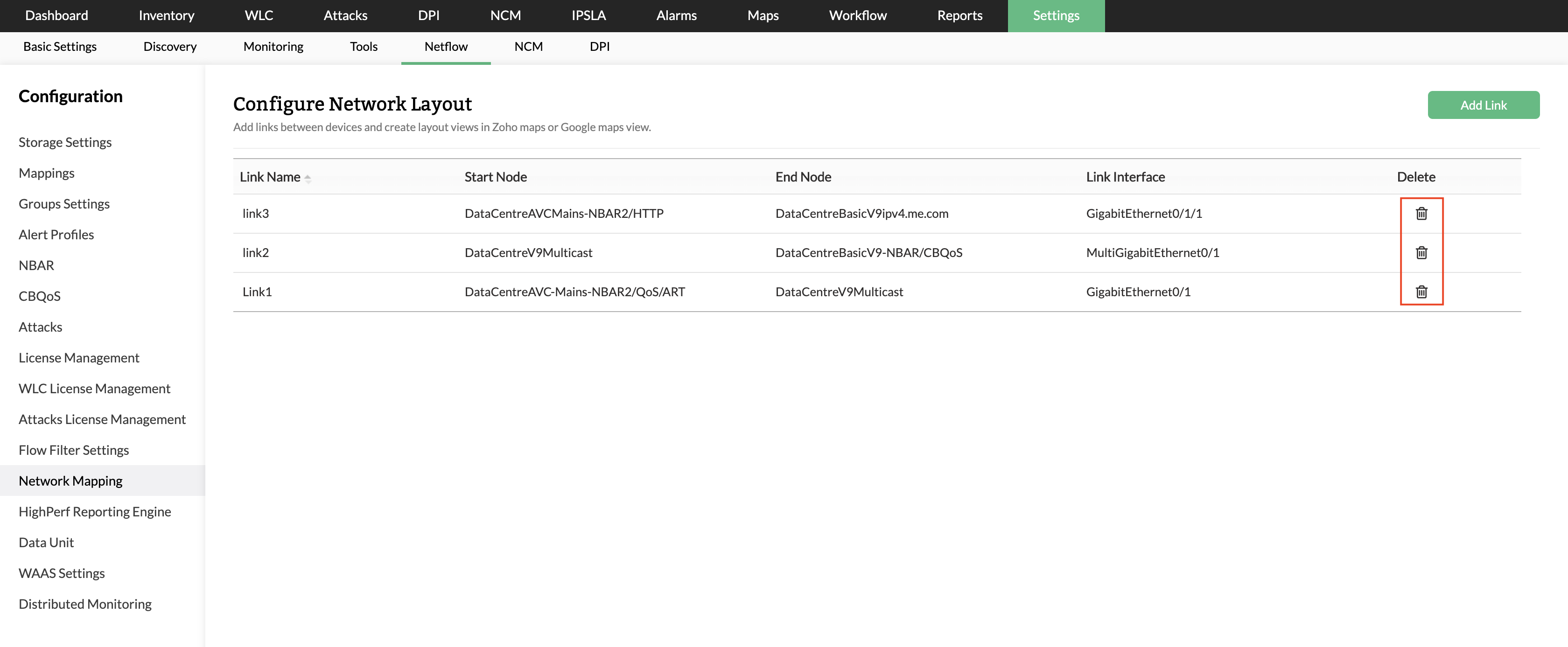
    Delete Link

    1. Navigate to Settings > NetFlow > Network Mapping
    2. Click on delete icon next to the link name

    Thank you for your feedback!

    Was this content helpful?

    We are sorry. Help us improve this page.

    How can we improve this page?
    Do you need assistance with this topic?
    By clicking "Submit", you agree to processing of personal data according to the Privacy Policy.