How to configure new service policy in NetFlow Analyzer?
Configuring a service policy with NetFlow Analyzer is possible with NCM add-on. A service policy consists of multiple actions applied to a device. The first step is to create a class map and then associate this class map by creating a new policy.
- Navigate to Inventory > Device > Device Snapshot
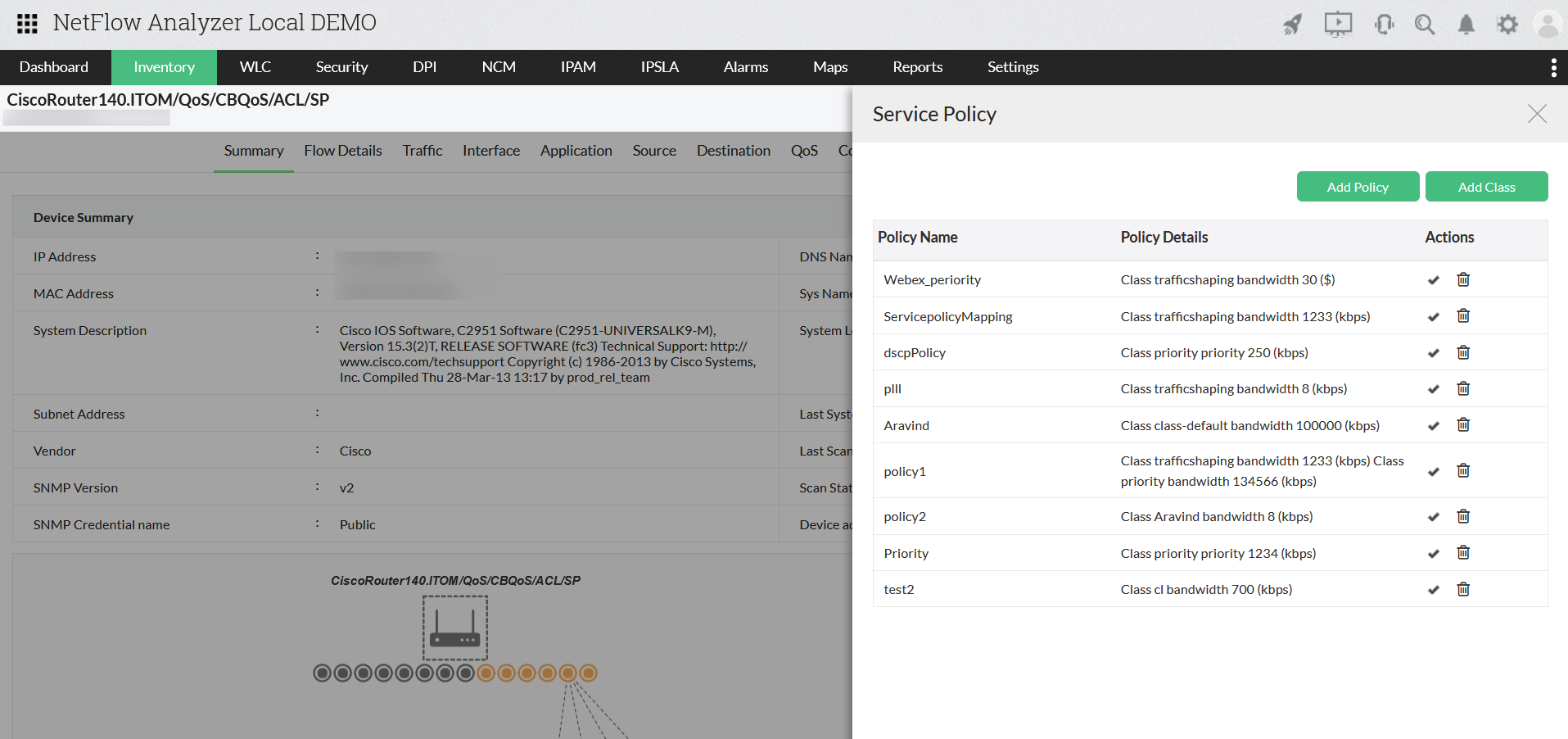
- Click on menu icon (green square on top right) and click on "Service Policy" Steps to add a class map
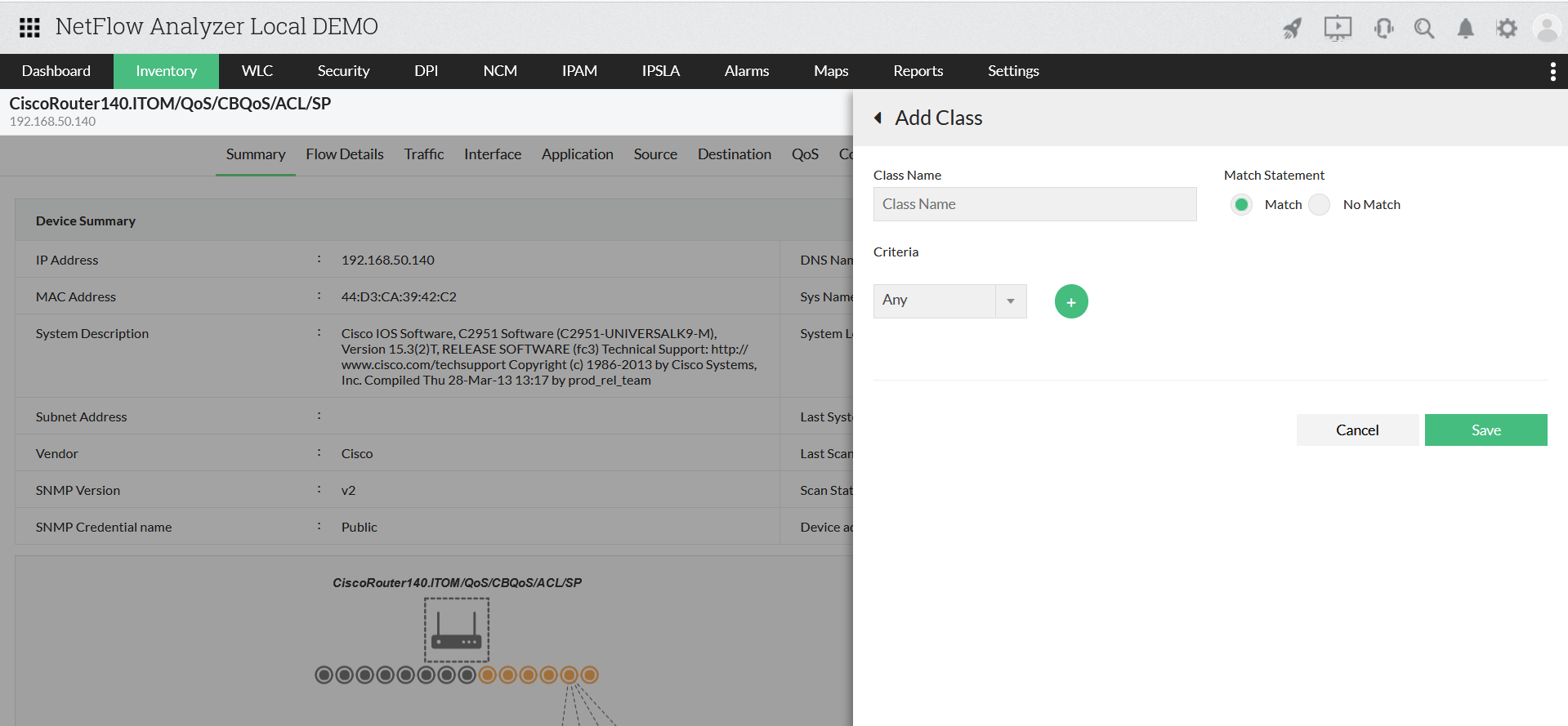
- Click on "Add Class" to create a new class map
- Enter the Class name
- Select the criteria such as DSCP value/IP address
- Click Save Steps to add a policy
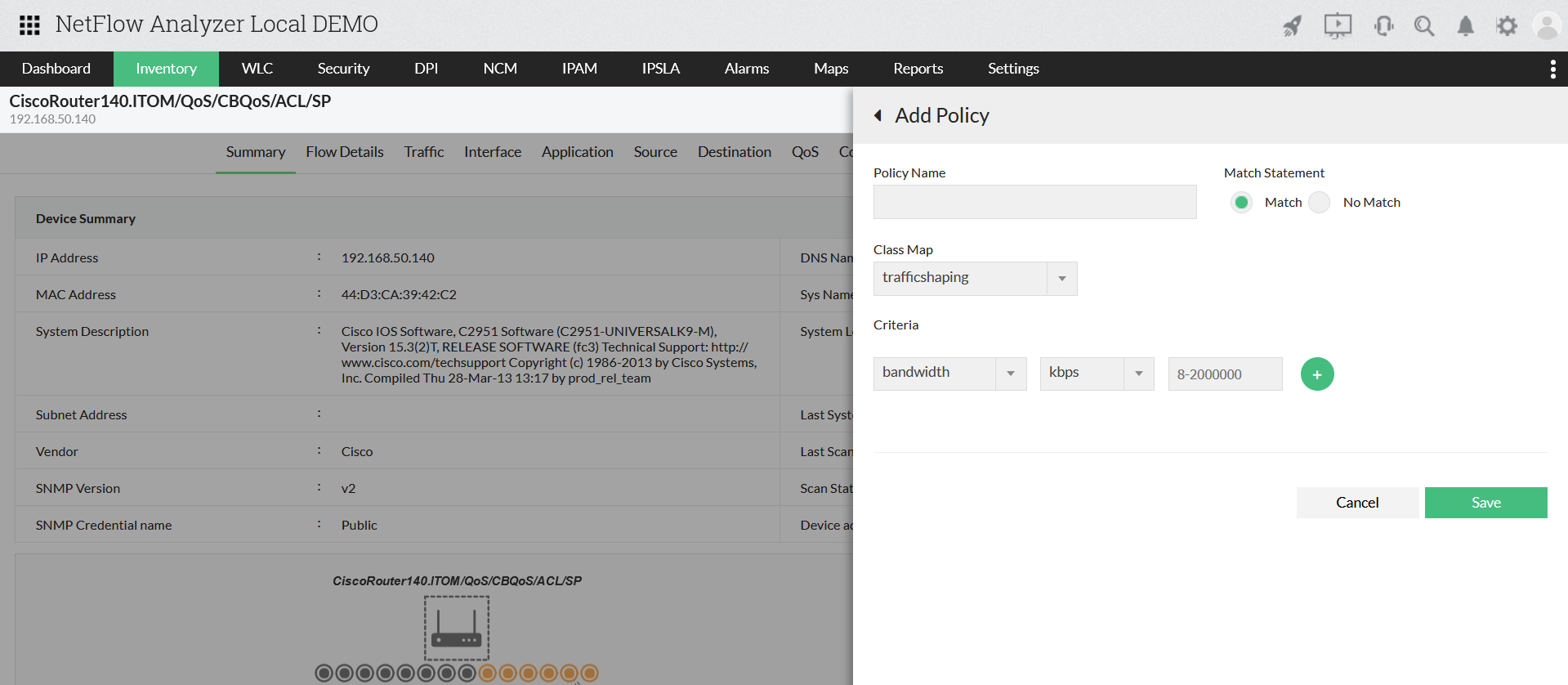
- Click on "Add Policy" to create a new policy
- Enter Policy name and select match statement
- Select the relevant Class Map
- Enter the criteria such compression/ drop/ police/ queue-limit/ service-policy/ shape and enter the value
- Click add and Save
- Click on "Apply" to apply the created policy
Note: You need to enable NCM add-on to configure ACL & service policies.
Thank you for your feedback!
