
How to create an application group?

    Follow the steps below to add a new application group:
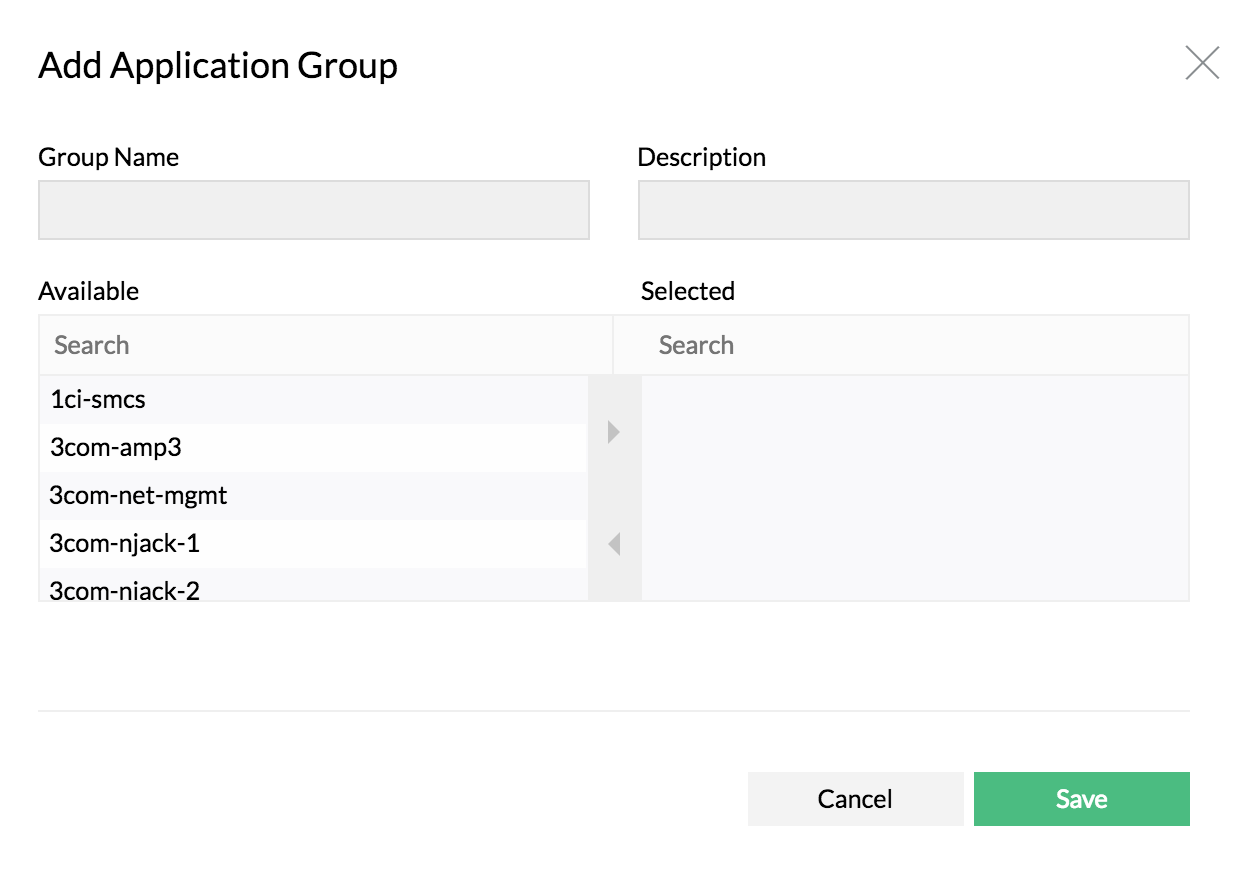
    Create application group

    1. Navigate to Settings > NetFlow > Group Settings > Application groups
    2. Click on Add 
    3. Enter the Group Name and Description
    4. Select the applications to be grouped from the left pane and move to "Selected" pane
    5. Save

    How to delete an application group?

    Click Delete icon next to the Application group name under Settings > NetFlow > Group Settings > Application group.

    How to edit an application group?

    Click on an existing Application group name, modify the selection and click save.

    Thank you for your feedback!

    Was this content helpful?

    We are sorry. Help us improve this page.

    How can we improve this page?
    Do you need assistance with this topic?
    By clicking "Submit", you agree to processing of personal data according to the Privacy Policy.