How to generate traffic reports with DNS names?
Generate traffic graphs with DNS names instead of IP addresses with resolve DNS option. For using resolve DNS option, you need to update DNS option from Settings.
Generate traffic graphs with DNS names
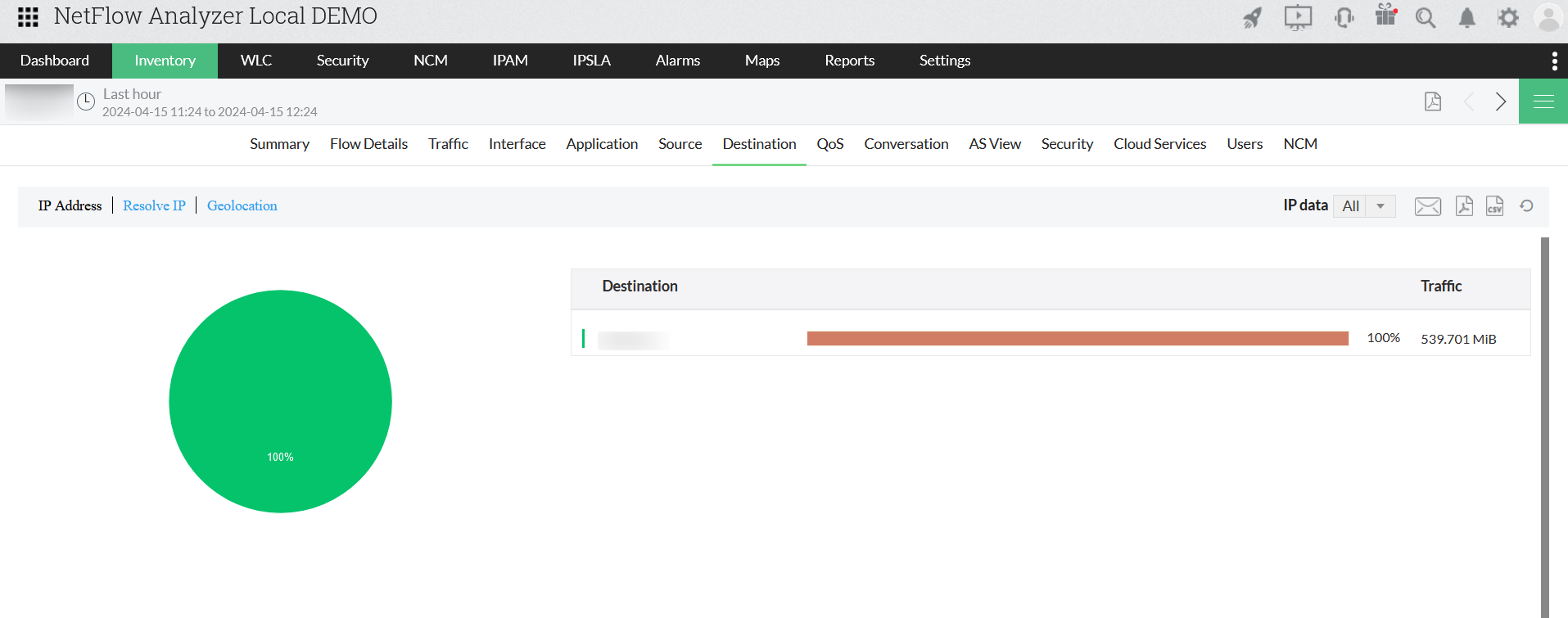
- Go to Inventory > Interface/Device > Interface/Device Snapshot
- Navigate to Source /Destination / Conversation traffic tab
- Click on Resolve DNS to enable and view DNS names
Update DNS from settings to resolve DNS automatically
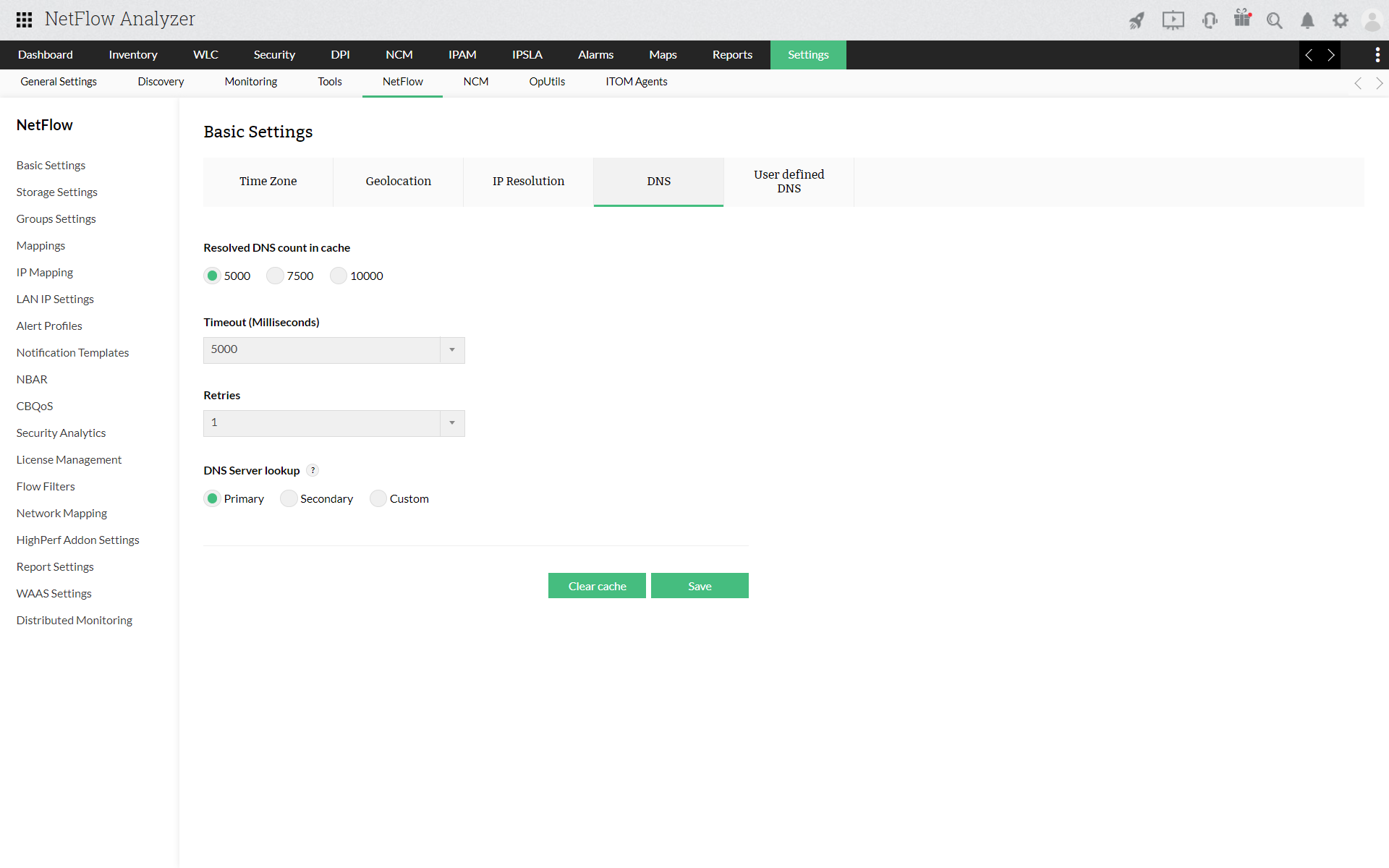
- Navigate Settings > Basic Settings > System Settings
- Click on DNS tab
- Click on automatic/on click DNS option
- Add Resolved DNS count in cache
- Add new user defined DNS names if required
- Click Save
Thank you for your feedback!
