Device Hung State Alerts
Hung state refers to a condition in which a server remains powered on and reachable at the network level but becomes unresponsive to operational inputs. In this state, the system may continue to respond to basic network checks such as ICMP ping, while the graphical interface is frozen and remote access, command execution, or login attempts fail. This represents a silent failure scenario where the server appears to be running but is unable to process workloads or respond to user and system requests.
OpManager can now generate alerts when Windows and Linux devices enter a hung state.
How OpManager Detects Hung State
OpManager primarily determines a hung state based on monitor data-collection behavior. A device is identified as being in a hung state when it responds successfully to ICMP ping requests but one or more monitors fail to collect data from the device.
By default, OpManager evaluates only those monitors with a polling interval of less than 15 minutes to verify whether data collection is failing. This maximum polling interval threshold is configurable using a backend option. This detection approach allows OpManager to clearly distinguish hung devices from those that are completely unreachable or down.
Credential Test Validation
In addition to the above ping- and data collection–based checks, OpManager provides a backend option to perform credential tests and generate hung state alerts based on the test result status. Please contact support for assistance.
How to Enable Hung State Alerts
To enable alerts for devices entering a hung state:
- Navigate to Settings → Configuration → Alarm Rules.
- Open the Default Alarm Rules tab.
- Locate the alert rule: Device Hung State Alarm.
- Enable the rule and save the changes.
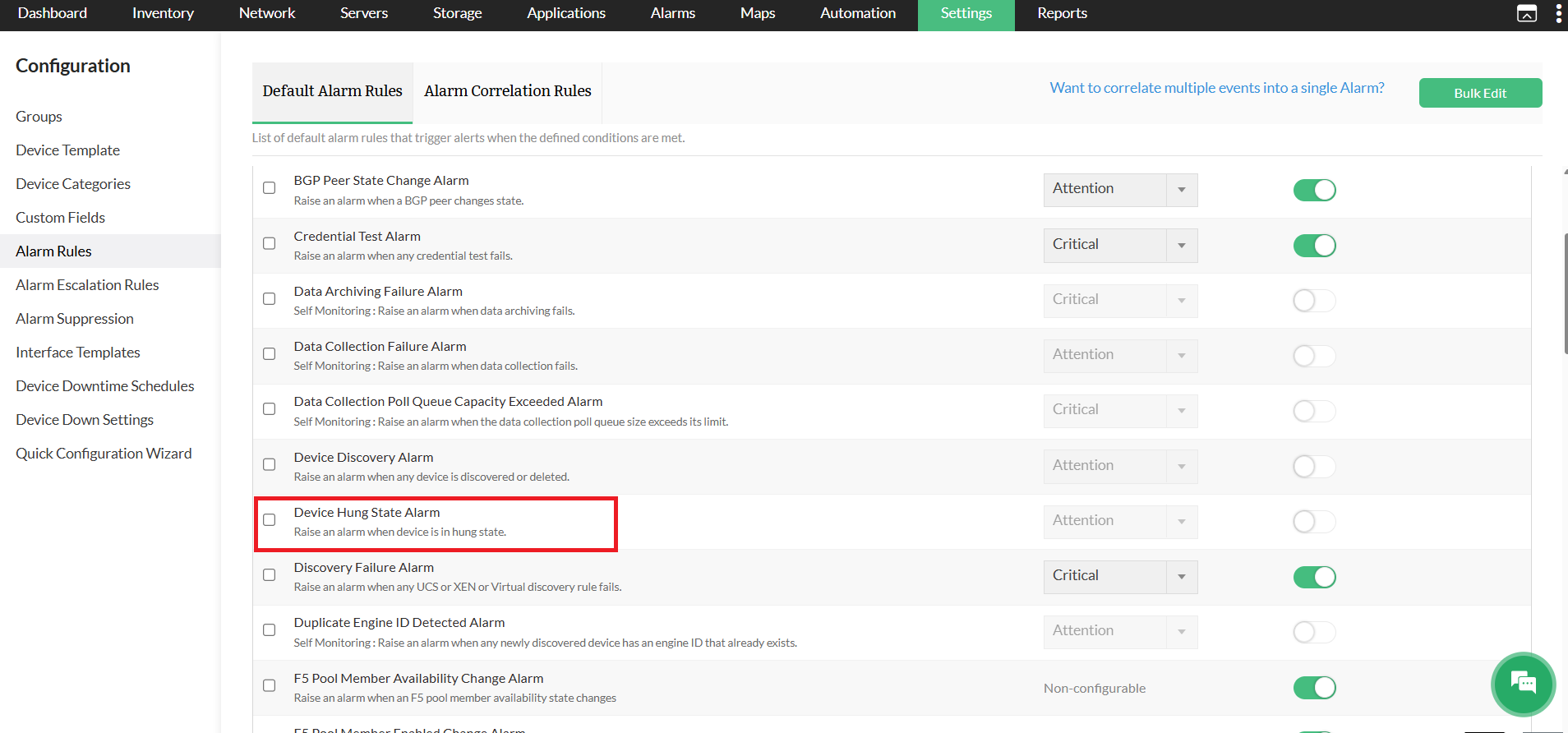
Once enabled, OpManager automatically generates alerts when devices in a hung state are identified.