Integrating PAM360 with Other ManageEngine Products
Integrating different IT functionalities together enables determining, accessing and sharing the best available features among the available key IT management solutions. Though it is not essential to integrate each IT function with one another, doing it contextually eliminates duplicate actions and redundancies, thereby improving efficiency.
PAM360 offers robust, native integrations with industry-leading applications from ManageEngine to manage the shared sensitive information such as account credentials, passwords, etc. PAM360 integration dismisses the need for your users to spend much time bungling with login screens and allows them to concentrate on what matters. It eliminates the need to manually update and maintain the credentials individually in each ManageEngine product, as PAM360 exclusively takes care of performing the periodic password rotation of all such credentials and updating the same in the native products.
The scope and benefits of integration differ based on the product integrated and its functionalities. Still, the basic idea behind the integration is to manage shared sensitive information such as account credentials, passwords, etc. Read further to know about how the integration works for each product.
1. ManageEngine Products Integrated with PAM360
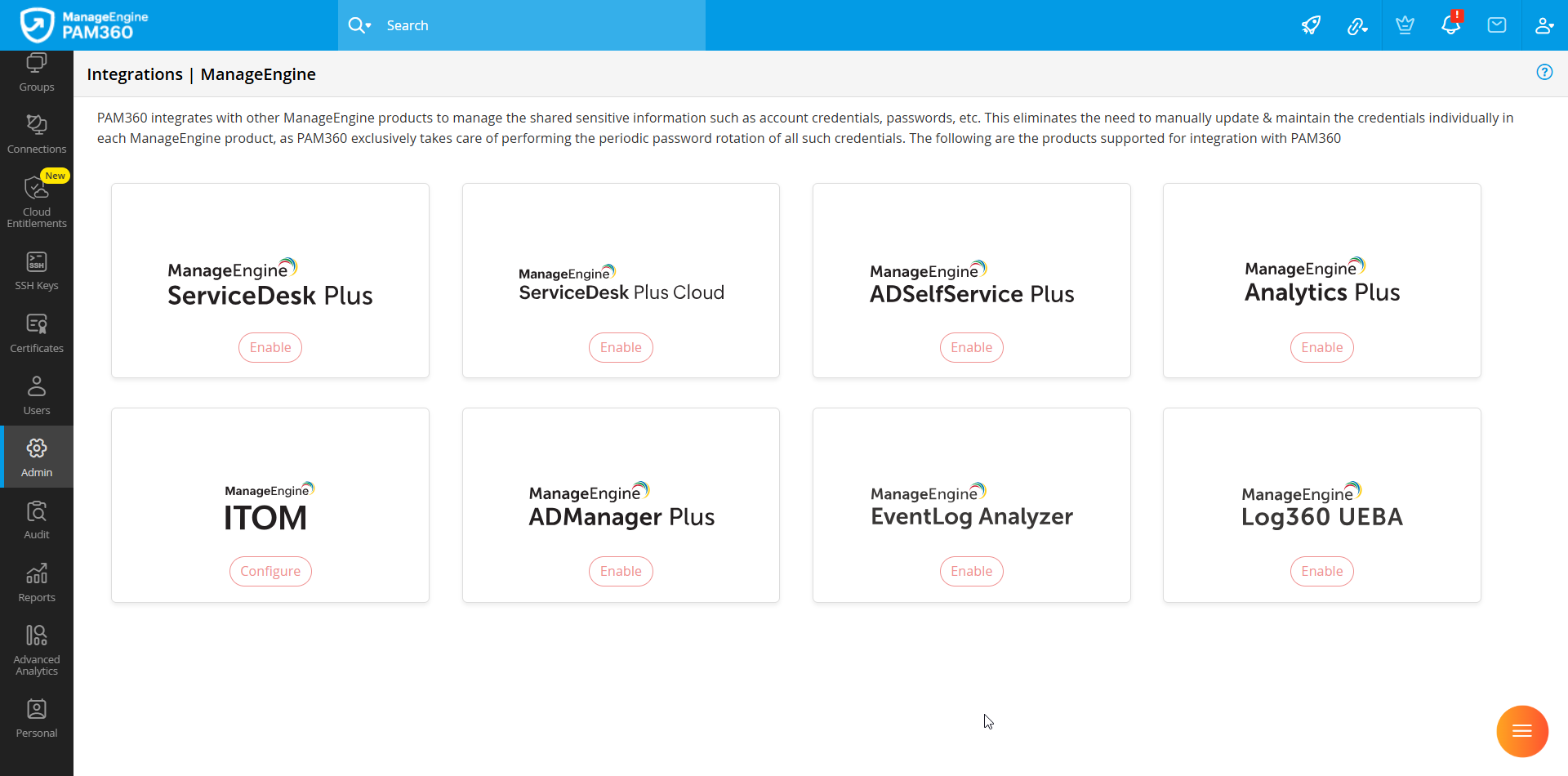
PAM360 seamlessly integrates with several ManageEngine products, enabling secure credential management and efficient IT operations. These integrations ensure centralized control over privileged access and eliminate the need for manual password retrieval and updates across different applications. Below are the ManageEngine products that can be integrated with PAM360:
- ManageEngine ServiceDesk Plus (SDP)
- ManageEngine ServiceDesk Plus Cloud (SDP on Demand)
- ManageEngine ADSelfService Plus (ADSSP)
- ManageEngine Analytics Plus
- ManageEngine ADManager Plus
- ManageEngine EventLog Analyzer
- ManageEngine Log360 UEBA
- ManageEngine IT Operations Management (ITOM) Applications
2. Roles and Permissions
There are certain roles required in PAM360 to integrate and manage the ManageEngine applications:
- By default, PAM360 users with the Privileged Administrator, Administrator, Cloud Administrator, and Password Administrator roles can integrate and manage the ManageEngine applications within PAM360.
- Apart from these predefined roles, you can also create a Custom Role with the ManageEngine Integrations, ManageEngine Analytics Plus, or ManageEngine Log360 UEBA privileges as required to allow users to integrate and manage the desired ManageEngine applications.
3. Enabling ManageEngine Integration
To view and configure ManageEngine product integrations, follow these steps:
- Log in to the PAM360 web interface and navigate to Admin >> Integrations >> ManageEngine. A consolidated dashboard displays all available ManageEngine integrations.
- Click Enable or Configure on the desired ManageEngine product.
- In the pop-up that appears, enter the required details and complete the integration setup. For more details, refer to the respective integration document.
4. Buttons and Definitions
| Sl. No | Button | Definition |
|---|---|---|
1 | Enable | Click this button to configure and enable the integration from the PAM360 portal. Note that a similar setup may also be required within the ManageEngine application you are integrating with. This option is visible only when the integration is currently disabled. |
2 | Edit | Click this button to modify the existing integration settings, regenerate the Auth Token, or update other configuration details. |
3 | Disable | Click this button to deactivate an active integration. |