Additional Fields
PAM360 provides an additional feature that allows you to add custom fields to the Add Resource and Add Account windows, enabling you to capture and attach additional information, such as end-of-life (EOL) dates, serial numbers, and other critical details specific to your organization's needs. These custom fields enhance the management of your resources and accounts by allowing you to store and access vital information directly within the platform. Moreover, these fields are particularly beneficial when creating dynamic groups in PAM360, as the custom values stored can be used to define precise criteria for grouping resources and accounts.
With the ability to create up to 20 custom fields for both resources and accounts, PAM360 offers a high degree of customization, ensuring that your resource management processes are tailored to meet your specific requirements. This document covers the following topics in detail:
1. Creating Additional Fields
PAM360 allows you to create additional fields for resources and accounts globally, providing flexibility in how you capture and manage additional information. These additional fields can be created either through the Admin tab or the Resources tab.
- To create additional fields through the Admin tab, navigate to Admin >> Resource Management >> Resource/Account Additional Fields.
- To create additional fields through the Resources Tab, go to Resources >> Resource Actions >> Customize Resource Attributes (applicable only for resource additional fields).
- In the window that opens, you will find various tabs representing the different types of additional fields supported by PAM360. The list of supported additional field types is as follows:
- Character/List: For storing text inputs.
- Numeric: To store numerical values.
- Password: Designed for storing password inputs. These values are encrypted and not displayed in plain text in the GUI. You can also define specific password policies for this field, and a password generator icon is provided to assist in creating passwords that meet the defined criteria.
- Date: For capturing date and time inputs.
- File: For storing file-based inputs.
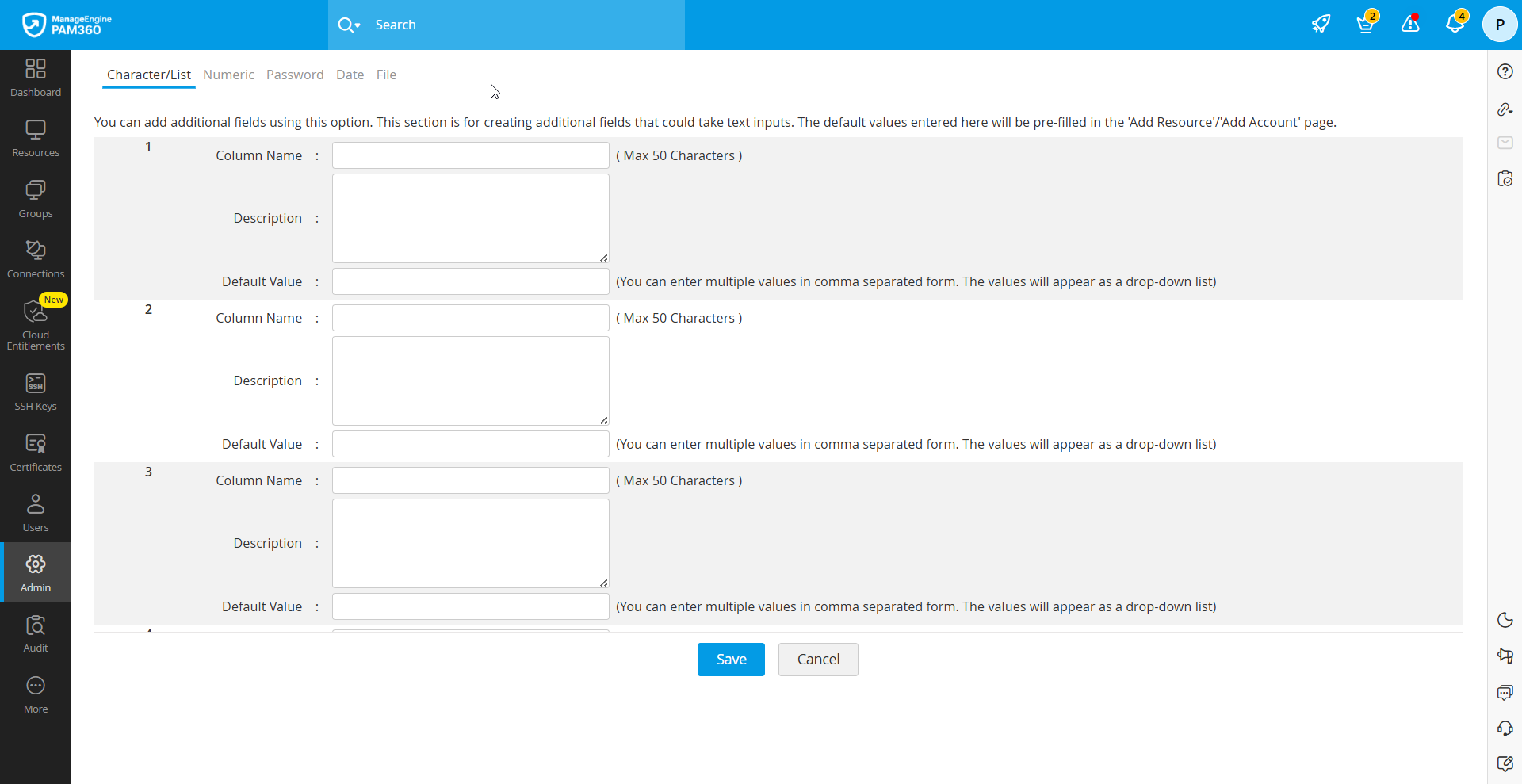
- Select the desired field type and enter the necessary details such as column name, description, etc.
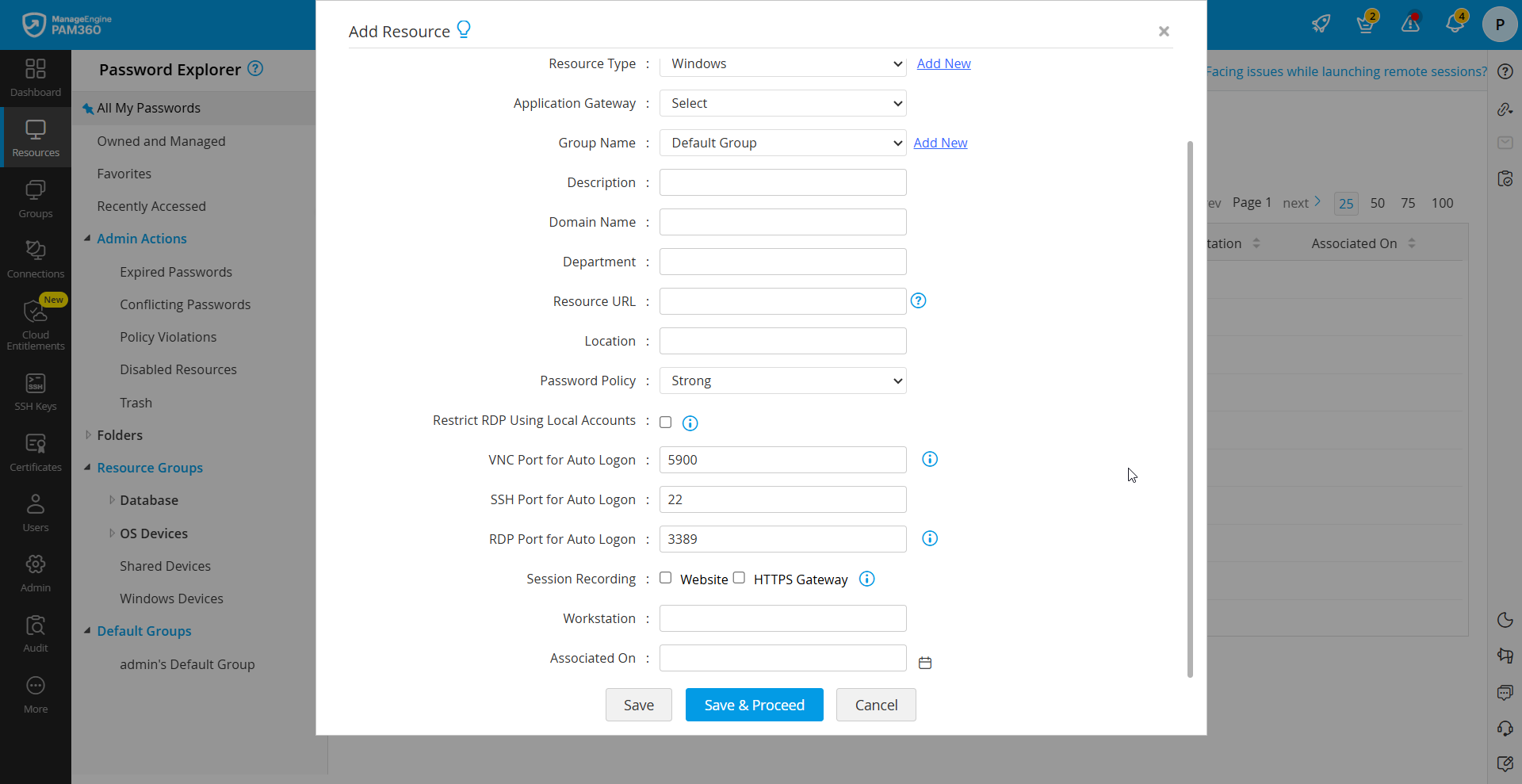
- Once you have entered the required details for the new additional field, click Save. The newly added field will now appear in the Add Resource or Account window, making it available for use during resource or account creation.
2. Enabling Additional Fields
When you create an additional field of the type Character, Numeric, Password, or Date, these fields are created globally for all resource types and take effect immediately. However, you have the option to display these fields only for specific resource types in the Add Resource or Add Account window. To enable this setting, you must disable the fields for the other resource types. Follow the steps detailed below to perform this action:
- Navigate to Admin >> Resource Management >> Resource Types.
- Click the Edit icon beside the desired resource type for which you wish to disable the additional field.
- In the dialog box that opens, uncheck the checkbox beside the additional field you wish to disable for the selected resource type.
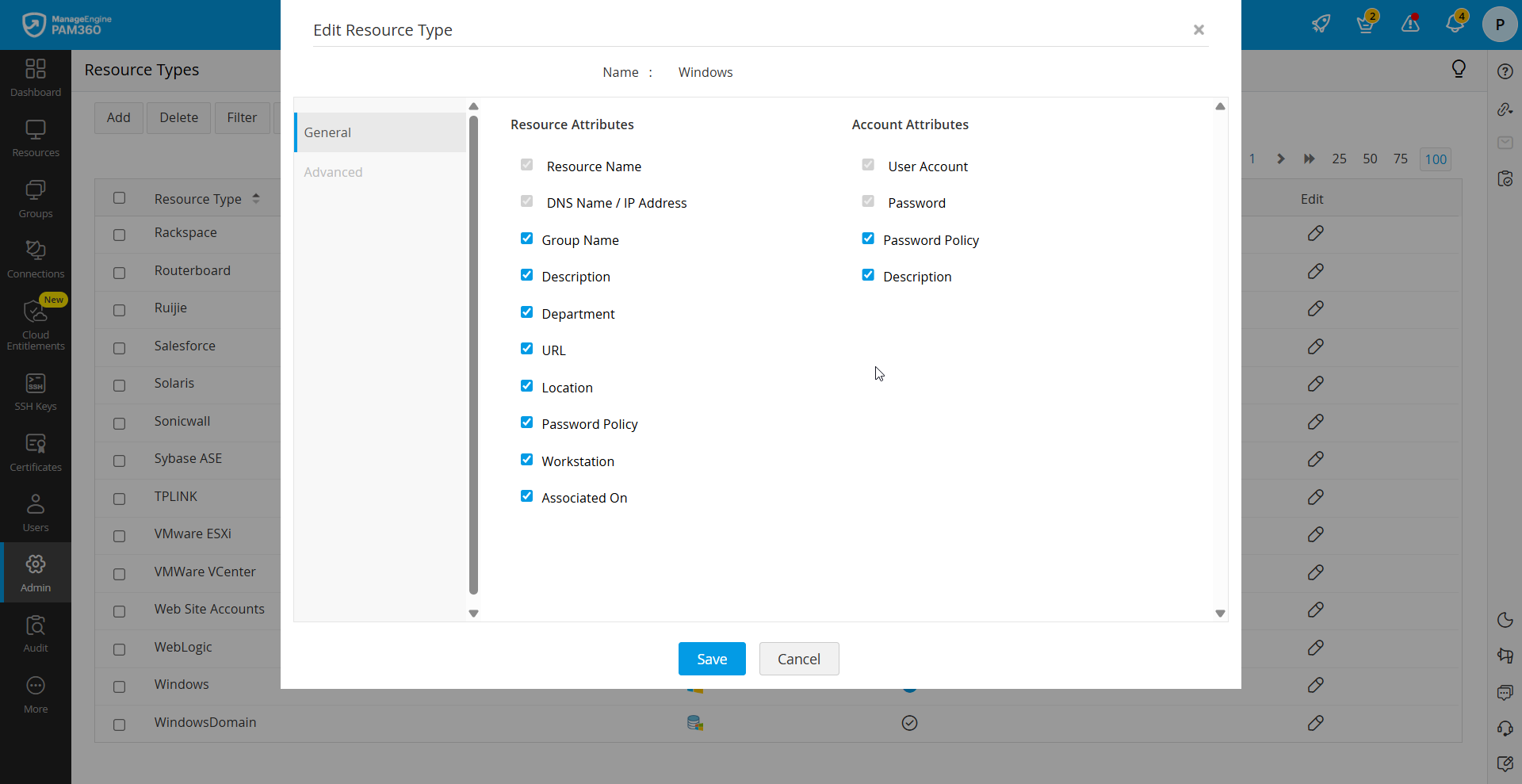
- Click Save to apply the changes.
Additionally, you can create File type additional fields. These fields do not take effect automatically for either resources or accounts. You need to specify which resource types should include this additional field. To enable File type additional fields for the desired resource types:
- Navigate to Admin >> Resource Management >> Resource Types.
- Click the Edit icon beside the desired resource type for which you wish to enable the File type additional fields.
- In the dialog box that opens, enable the checkbox beside the additional field type File.
- Click Save to apply the changes.
You can also customize the resource tab view to suit your specific requirements. When there are multiple additional fields, users can customize their Resources tab view by choosing to display only the preferred columns. This can be done using the Column Chooser. The customization options are as follows:
- Show/Hide Columns: Select which columns to display or hide in the Resources tab.
- Change Column Order: Drag and drop the required columns to adjust the sort order based on your preference.
3. Additional Fields - Use Cases
Case 1: Adding BIOS Password Fields for Windows and Linux Resources
Enterprises often require secure storage of BIOS passwords for their Windows and Linux systems. To address this need, you can create an additional Password field specifically for tagging the BIOS password to these resources. Once created, this field can be enabled exclusively for Windows and Linux resources, ensuring that sensitive information is securely managed.
Case 2: Adding EOL and EOS Dates for Network Devices
Network devices like switches, routers, and firewalls typically have End of Life (EOL) and End of Sale (EOS) dates that need to be tracked for effective lifecycle management. You can create an additional Date field dedicated to recording these dates. By enabling this field for the desired network devices and other relevant resource types, you can easily monitor and manage the lifecycle of your network equipment.
Case 3: Securing Critical Accounts with a Severity Rating
For highly critical accounts, such as firewall administrative accounts or essential database accounts, it is important to assign a severity rating. To do this, you can create an additional Character field at the account level. To implement this, follow the steps detailed below:
- Navigate to Admin >> Resource Management >> Account Additional Fields.
- Under the Character/List tab, create a new additional field named Severity Rating.
- In the Default Vales field, enter the default values for the new additional field by specifying options such as High, Medium, and Low for categorizing the severity.
- Click Save to apply the changes. The new field will be available while adding accounts.
Now, when you add multiple accounts under a resource, you can easily mark accounts of a highly critical nature with a high severity rating, enhancing the security management of critical assets.