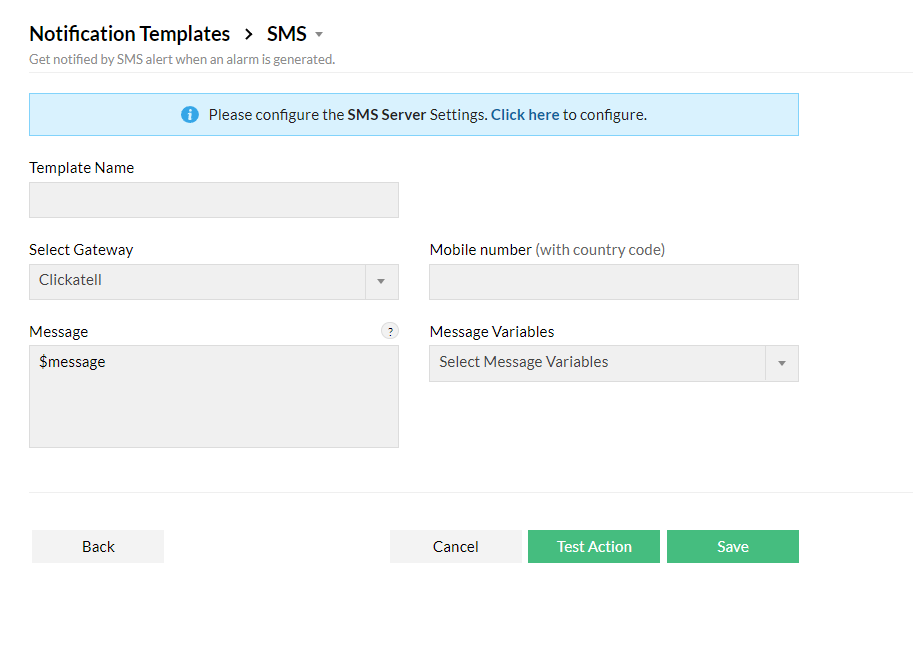
You can configure Firewall Analyzer to generate an SMS alert when an alarm is triggered. To do this, you need to configure your SMS server settings and follow the steps mentioned below:
To create an SMS Notification Template, go to Settings > Others > Notification Template.
Select Add and choose SMS.
Give the template a name, select your SMS Gateway from the drop-down, and enter your mobile number (With country code).
Customize the SMS message by selecting required Message Variable.
Test this template using the Test Action option and Save this template.