SNMP Traps
PAM360 provides robust integration capabilities, including the ability to raise SNMP (Simple Network Management Protocol) Traps to your network management systems. SNMP Traps are essential for real-time monitoring and alerting, allowing administrators to receive notifications about specific events as they occur. In PAM360, these traps can be configured to trigger on various password management actions and audit events.
When an event that matches the configured criteria occurs, PAM360 automatically sends an SNMP v2c trap to the designated host. This trap contains crucial information, including the resource name, account name, the user who initiated the action, their IP address, the date and time of the event, and the specific reason for the operation. This detailed data allows your network management system to log, analyze, and respond to events in real-time. Follow the steps detailed below to configure SNMP traps for specific events:
- Navigate to Admin >> Integrations >> SNMP Traps.
- In the dialog box that opens, enter the following details under the SNMP Trap Receiver tab.
- Enter the Receiver Host Name for the system you want to send the traps to.
- Specify the Port to which the receiver host is listening.
- Enter the name of the SNMP community in the SNMP Community field.
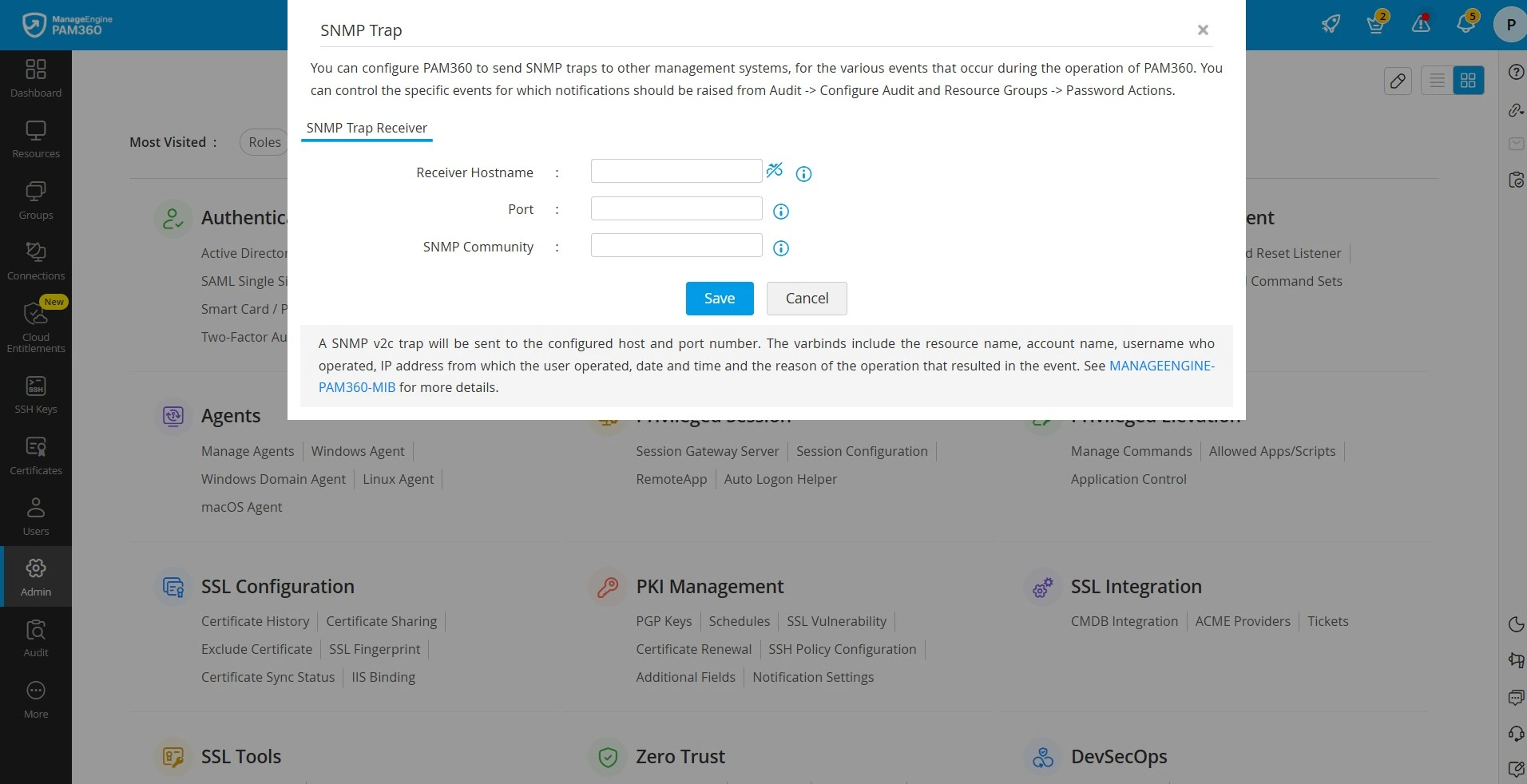
- Click Save to apply the configured settings.