Integrate OpManager with ServiceDesk Plus MSP Cloud
OpManager integrates with ServiceDesk Plus MSP Cloud, a cloud-based ITSM solution that simplifies IT operations for Managed Service Providers. With this integration, the configuration items in OpManager will be seamlessly synced to the CMDB of ServiceDesk Plus MSP cloud, enabling the users to have a clear visibility into all the CIs across the client networks.
Note: The ServiceDesk Plus MSP Cloud integration is available only with OpManager Enterprise edition.
Pre-requisites for ServiceDesk Plus MSP Cloud Integration
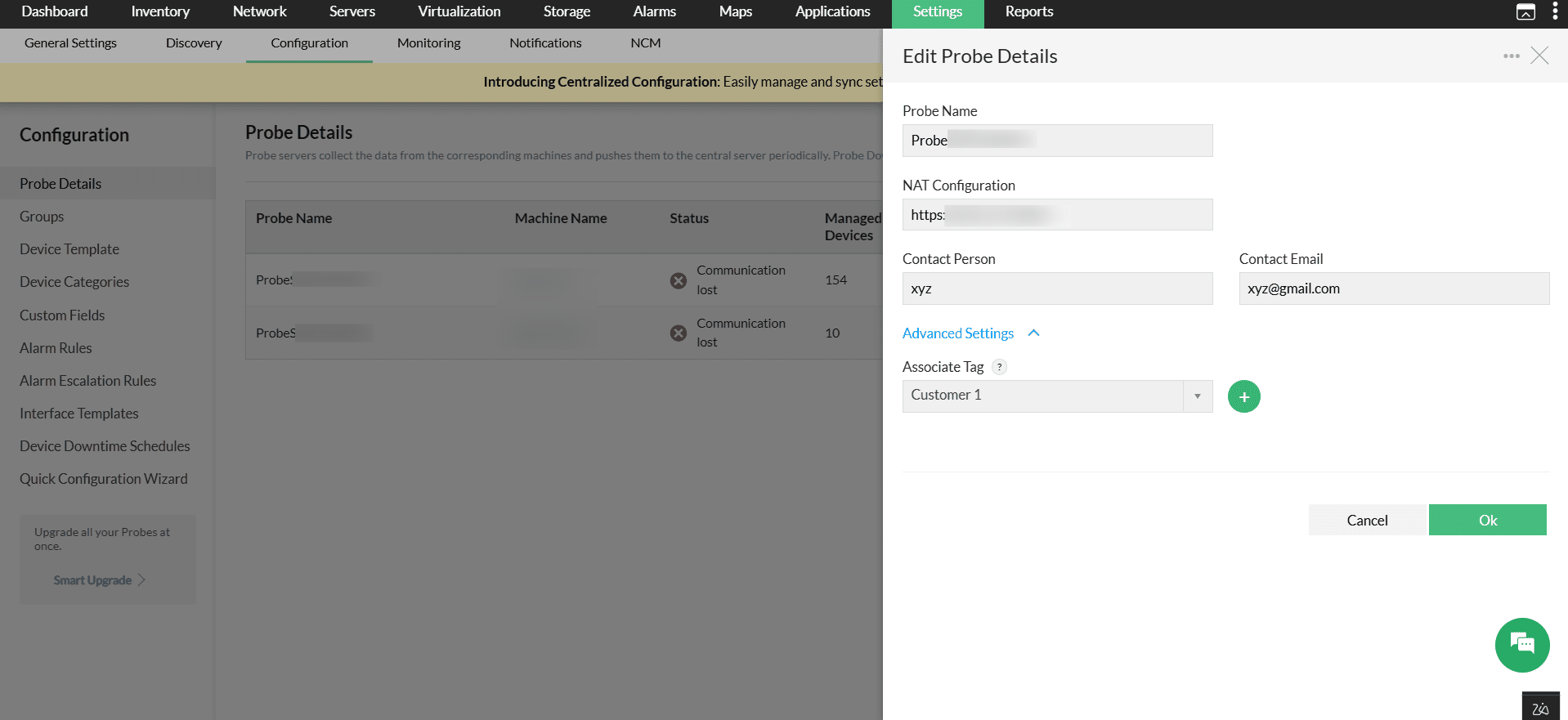
To begin the integration, you have to create a tag and associate it with probes. A tag logically groups one or more probes and represents a customer in an MSP environment.
- In OpManager, go to Settings → Configuration → Probe Details.
- Click a probe to edit its details. Under Advanced Settings, the Associate Tags tab will be available.
- To create a tag (customer), click the (+) button. Once created, the same tag can be selected from the drop-down list and associated with multiple probes.
- Click OK
Configuring ServiceDesk Plus MSP Cloud in OpManager
After associating tags with the probes, you have to configure ServiceDesk Plus MSP Cloud in OpManager.
- Go to Settings -> General Settings -> Integrations -> Click on 'ServiceDesk Plus MSP Cloud'.
- To set up the integration, a Grant token is required from the SDP MSP Cloud. For that, click on the "Get Grant Token from ServiceDesk Plus Cloud" link.
- Login into your account, read and acknowledge the permissions, then copy the grant token provided on the next page.
- Paste the code in the Grant Token field in OpManager.
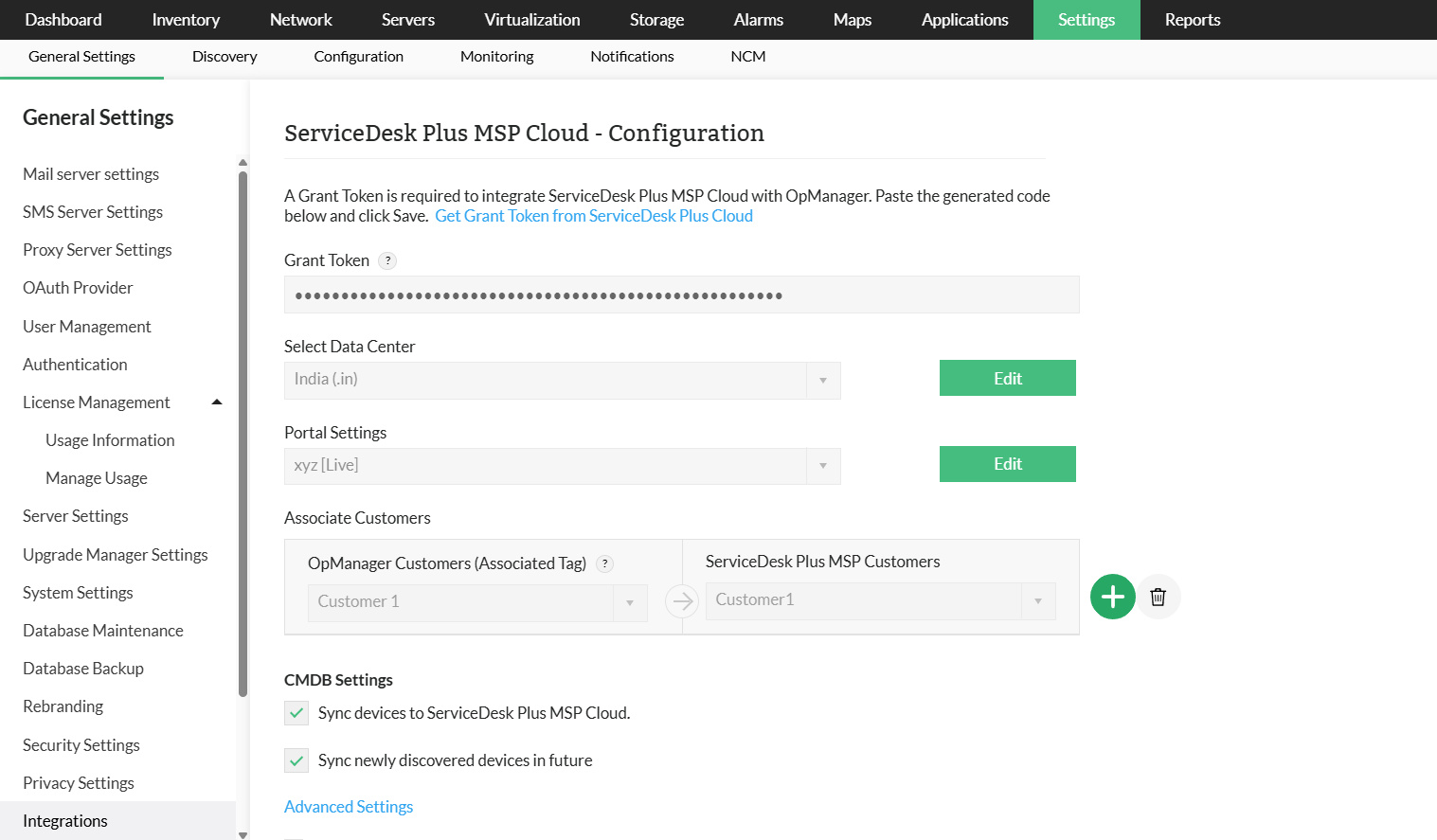
- Select the Data Center where your ServiceDesk Plus MSP Cloud is hosted, then click Authorize.
- Under Portal Settings, select the required portal and click Fetch Customers.
- In Associated Customers, choose the associated tag of the probe as the customer in OpManager and select the corresponding ServiceDesk Plus account to associate it to.
- Once selected, click the plus (+) button to map additional customers.
- Under CMDB Settings, enable the required actions for the integration.
- In Advanced Settings, exclude categories that are not required to be synced to the CMDB.
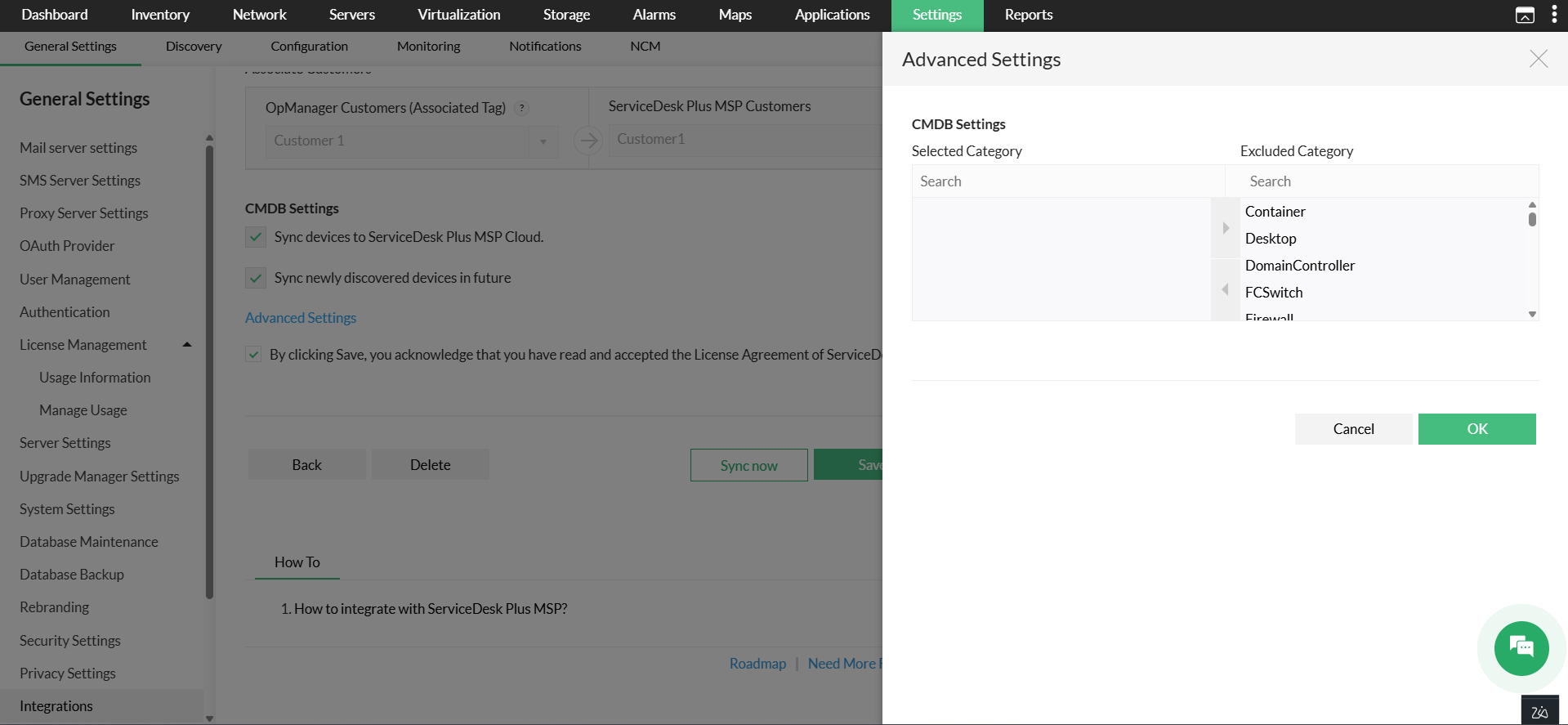
- Read the ServiceDesk Plus MSP Cloud license agreement and click Save.
The integration will be successfully updated and the CIs from Opmanager will get synced in ServiceDesk Plus MSP Cloud.
- Customer mapping is required to sync devices with the ServiceDesk Plus MSP Cloud CMDB.
- This integration is supported in OpManager version 12.8.664 and later.
Know more about the integrations offered by OpManager.
Thank you for your feedback!
