Integrating Enterprise Ticketing Systems with PAM360
PAM360 integrates with enterprise ticketing systems to automate service request validation before granting privileged access. This ensures that only users with a valid ticket ID can retrieve privileged passwords, enhancing security and compliance. This ticketing system integration extends to the PAM360 access control workflow capabilities by granting approvals to password access requests upon automatic validation of corresponding service requests in the ticketing system.
PAM360 supports various ticketing systems, including ManageEngine ServiceDesk Plus (on-premise, MSP, and on-demand), ServiceNow, Jira Service Desk, and BMC Helix Remedyforce, providing flexibility across different IT environments.
In this document, you will learn the following with respect to integrating ticketing systems with PAM360:
- How Does Ticketing System Integration Work with PAM360?
- Ticketing Systems Available in PAM360
- Enabling/Disabling the Ticketing System in PAM360
1. How Does Ticketing System Integration Work with PAM360?
Once you integrate PAM360 with an enterprise ticketing system, users will be required to enter a valid ticket ID for password retrieval or password reset, and PAM360 will do the following before granting access:
- Validates the ticket ID entered by the user who exists in the ticketing system.
- Verifies the incident connected with the ticket ID is not in the 'Closed' state.
- Verifies whether the user is authorized to view that password and thereby access the IT resource.
- Verifies for appropriate permissions in the case of password reset attempts.
In addition to verifying the above, by default, PAM360 also lets you define custom criteria and validate them with the ticketing system before granting access to the passwords. The entire process is completely audited, that is, privileged actions can be traced using ticket IDs, and password access can be traced using ticket numbers in the ticketing system. Also, you can generate custom reports on privileged access scenarios through the ticket IDs.
2. Ticketing Systems Readily Available in PAM360
Integrating your ticketing system with PAM360 is made easy. Below are the following ticketing systems readily available in PAM360:
- ManageEngine ServiceDesk Plus
- ManageEngine ServiceDesk Plus Cloud
- ManageEngine ServiceDesk Plus MSP
- ServiceNow
- JIRA Service Desk
- BMC Helix Remedyforce
Besides the above, you can integrate PAM360 with any other enterprise ticketing system. Refer to this document for custom ticketing system integration. Click the required ticketing system above to learn more about it in detail.
3. Enabling or Disabling the Ticketing System in PAM360
Caution
PAM360 supports only HTTPS connections. Therefore, a valid SSL certificate is required to securely connect with the ticketing system. To import the SSL certificate of the host running the ticketing system into the PAM360 certificate store, follow the steps outlined in Question 11 under the Certificates module. While importing the SSL certificate, ensure that the certificate includes the Subject Alternative Name (SAN) field.
PAM360 allows users to enable or disable the ticketing system integration anytime within its interface. Perform the following steps to enable or disable the ticketing system in PAM360,
- Navigate to Admin >> Integrations >> Ticketing System.
- On the page that appears, select the ticketing system you want to integrate and click Enable.
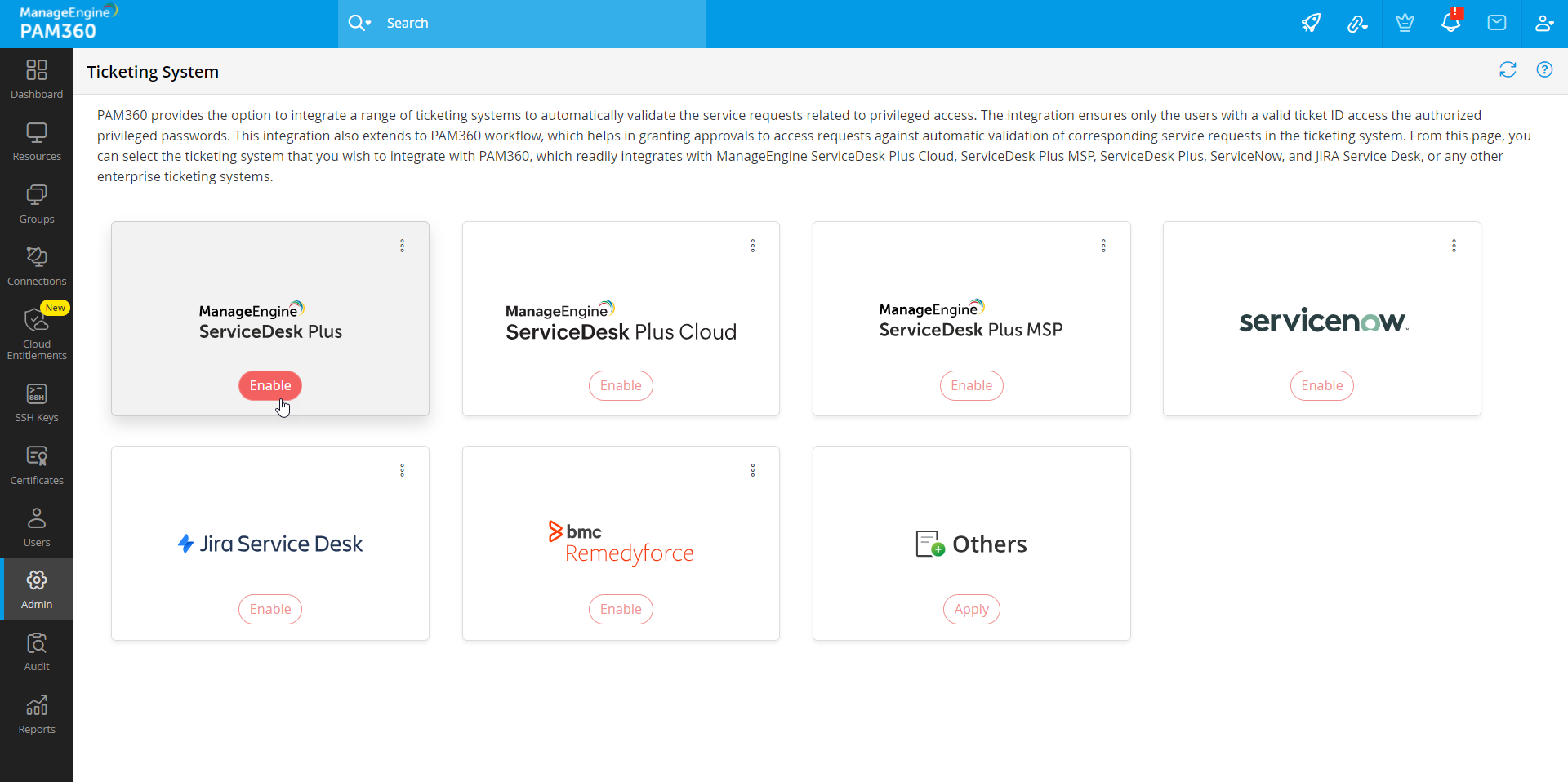
- In the pop-up that appears, enter the required details and complete the ticketing system integration. For more details, click here.
- If the required ticketing system is not found in the list, select Others and enter the required details to complete the configuration. Click Save.

- To disable the ticketing system, navigate to the Ticketing System page and click the Disable button on the ticketing system tile.
Additional Detail
When disabled, the integration details will not be removed from PAM360. You will be able to enable the integration at any given time. For ticketing system integrations with Client ID and Client Secret, you have to regenerate them again to enable the integration.
For detailed configuration of the ticketing system in PAM360, refer to this help document.