How to share a common folder with primary and secondary servers
Note: The steps below are for sharing a common folder with primary and secondary servers. Click here for the steps to share OpManager primary and secondary folders with one another for failover configuration. Before sharing the common folder, ensure that the pre-requisites specified here are satisfied.
Steps to share a common folder
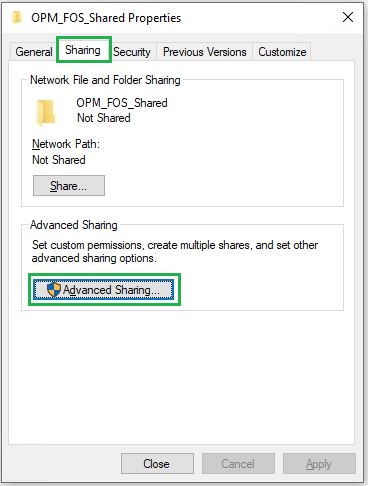
- Right click on the folder you wish to share and click on Properties.
- Under Sharing tab, Click on Advanced Sharing.
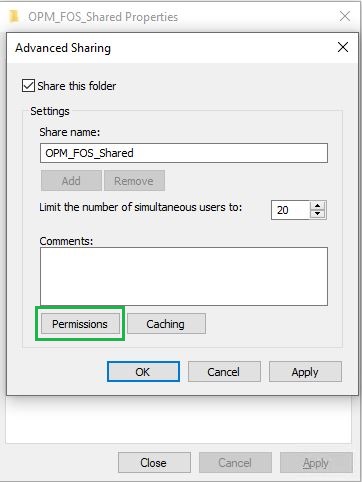
- Check the Share this folder option and provide a Share Name.
- Click on Permissions. In the window that opens, click on Add.
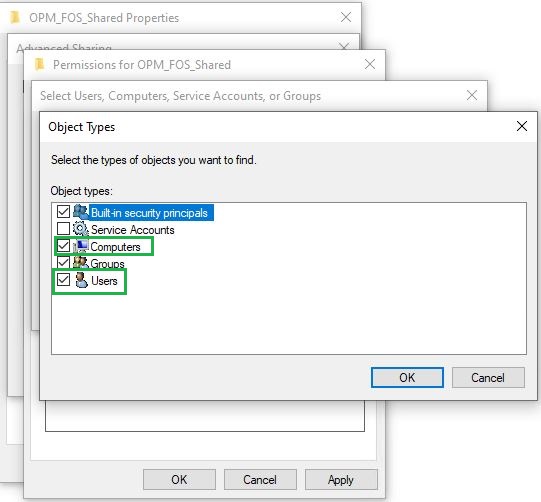
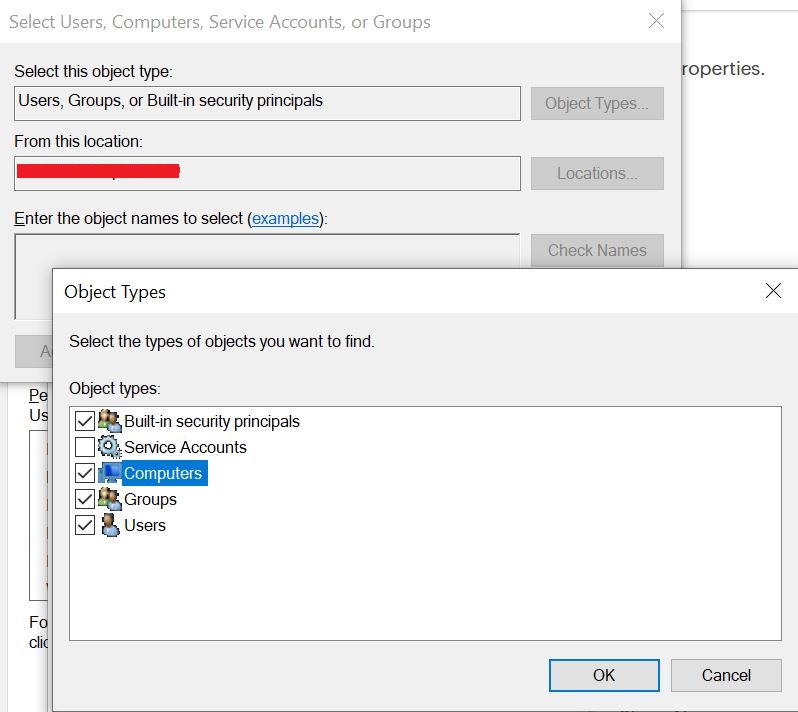
- Click on Object Types and make sure that both 'Computers' and 'Users' options are selected. This will allow you to share the file with a particular device in the network.
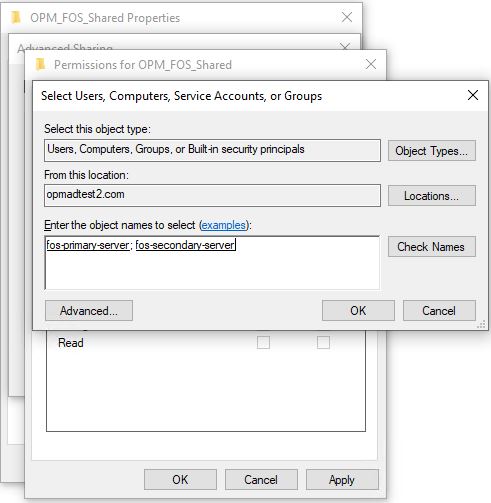
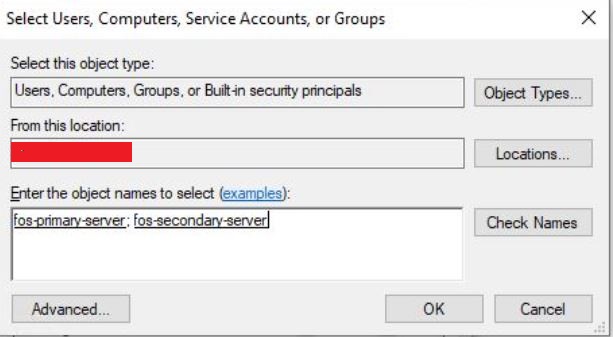
- Specify the primary and secondary server names with which you wish to share the folder. Click on Check Names to select the server name from the list and click ok.
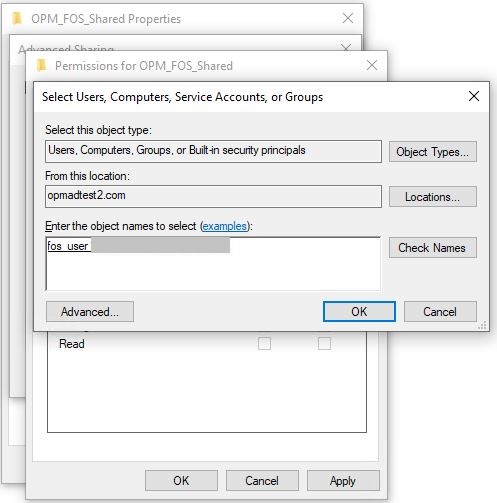
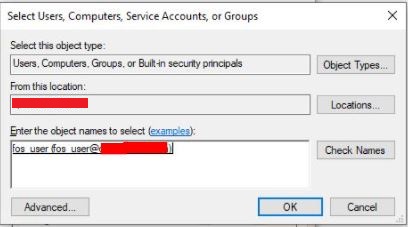
- Specify the users with whom you wish to share the folder. Click on Check Names to select the user name from the list and click ok.
- Select the required users and servers and select the access privilege as Full Control.
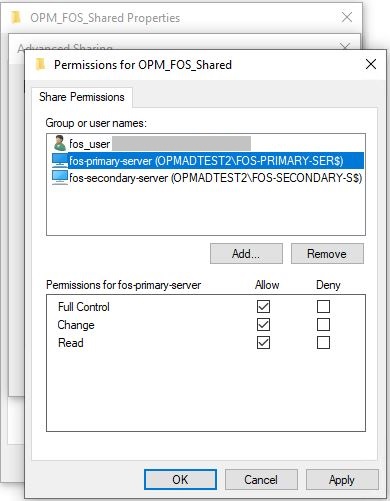
- Click on Apply
- Right click on the folder you wish to share and go to -> Properties -> Security.
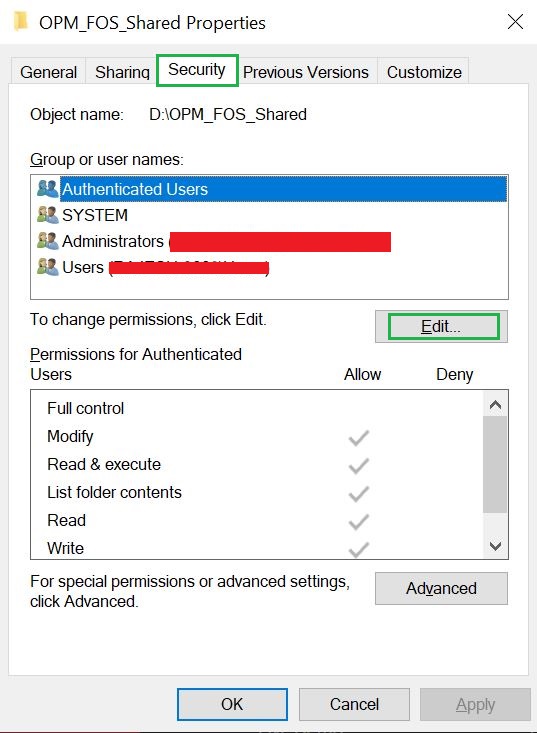
- Click Edit and then Add.
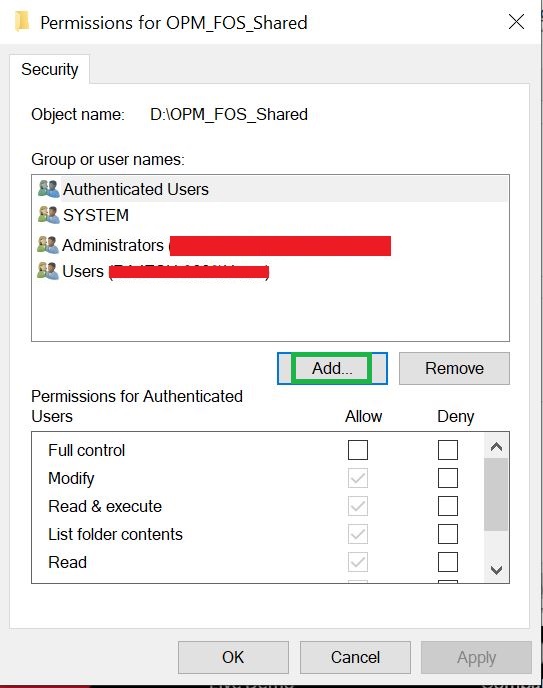
- In the 'Select Users or Groups' panel choose 'Object Types' then Computer' and 'Users'.
- Enter the primary, secondary computer names and the user.
- Under Permissions, enable 'Full control' or 'Modify'.
- Click Apply and OK.
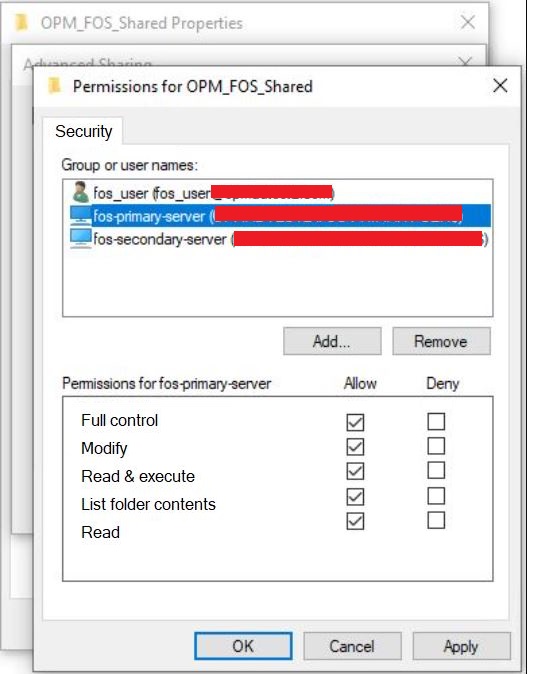
- Now a shared folder path will be displayed on the screen. Make sure that the shared folder path is accessible without credentials from the primary and secondary servers to which it has been shared.
User privilege :
When user tries to log on as a specific user in a service, the user should be given backup and restore rights.
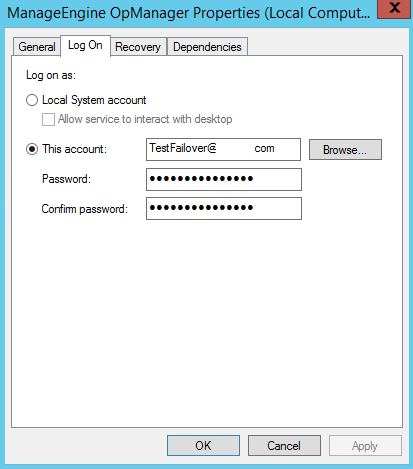
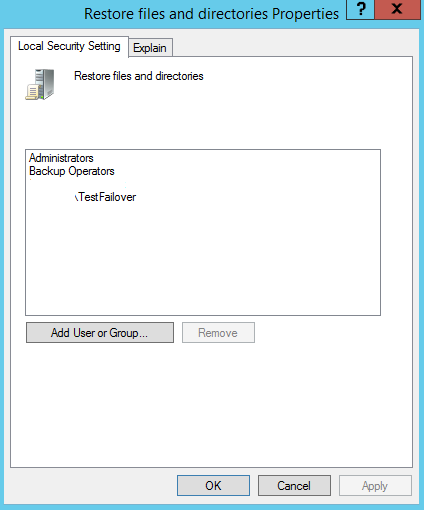
To provide the user, backup and restore rights, please add the user in the Back up files and Directories, and Restore files and Directories as done below.
To add the User in Backup files and directories,
Go to, Local Security Policy --> Security settings --> Local Policies --> User Rights Assignment --> Back up files and directories and add the Logon user (DomainName\TestFailover)
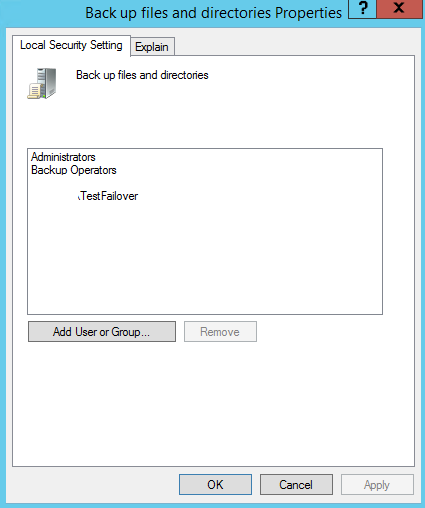
To add the User in Restore files and directories,
Go to, Local Security Policy --> Security settings --> Local Policies --> User Rights Assignment --> Restore files and directories and add the Logon user (DomainName\TestFailover)